Todo lo que necesitas para compartir Oppalin
Escrito para afiliados aprobados — y abierto a quien esté decidiendo si postularse. Toma lo que te sirva, dilo con tus palabras y no tengas que adivinar nunca qué hace Oppalin.
Cómo empezar, paso a paso
Cinco pasos desde la solicitud hasta el primer pago. La mayoría completa los pasos 1 a 3 en una tarde; el resto depende de lo rápido que te verifique Stripe.
Postúlate
La solicitud es corta y pregunta lo único que importa: cómo piensas compartir Oppalin. Sé concreto — "una sección en mi newsletter semanal de diseño, unos 4.000 suscriptores" vale más que "redes sociales". Leemos cada solicitud a mano y solemos responder en unos días hábiles.
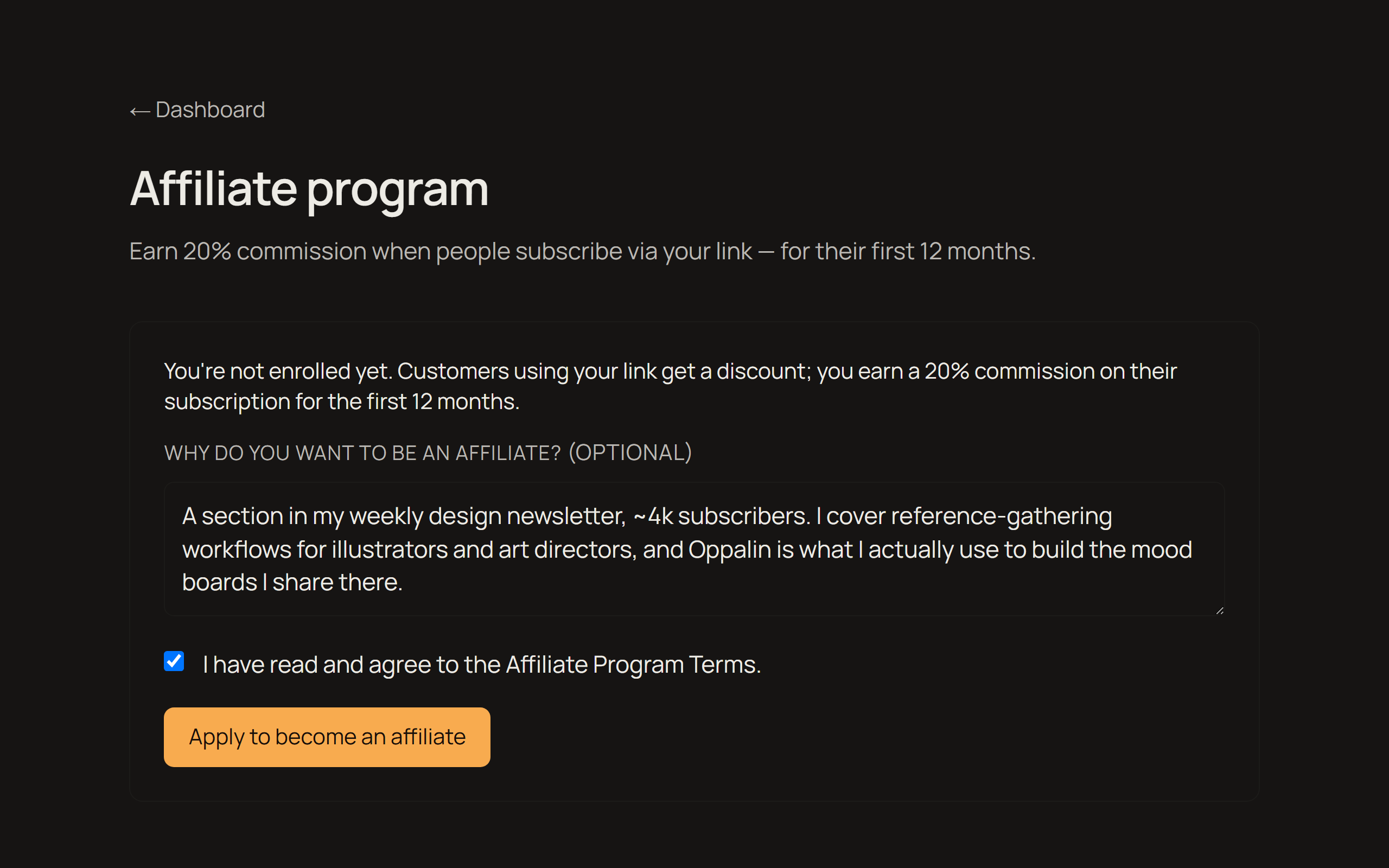
Correo de aprobación → tu código y tu enlace
Cuando te aprueban recibes un correo con tu enlace de referido personal. Ese mismo enlace lleva un código de descuento, así que quien llegue por él consigue un 10% de descuento — les estás dando algo, no solo midiéndolos.
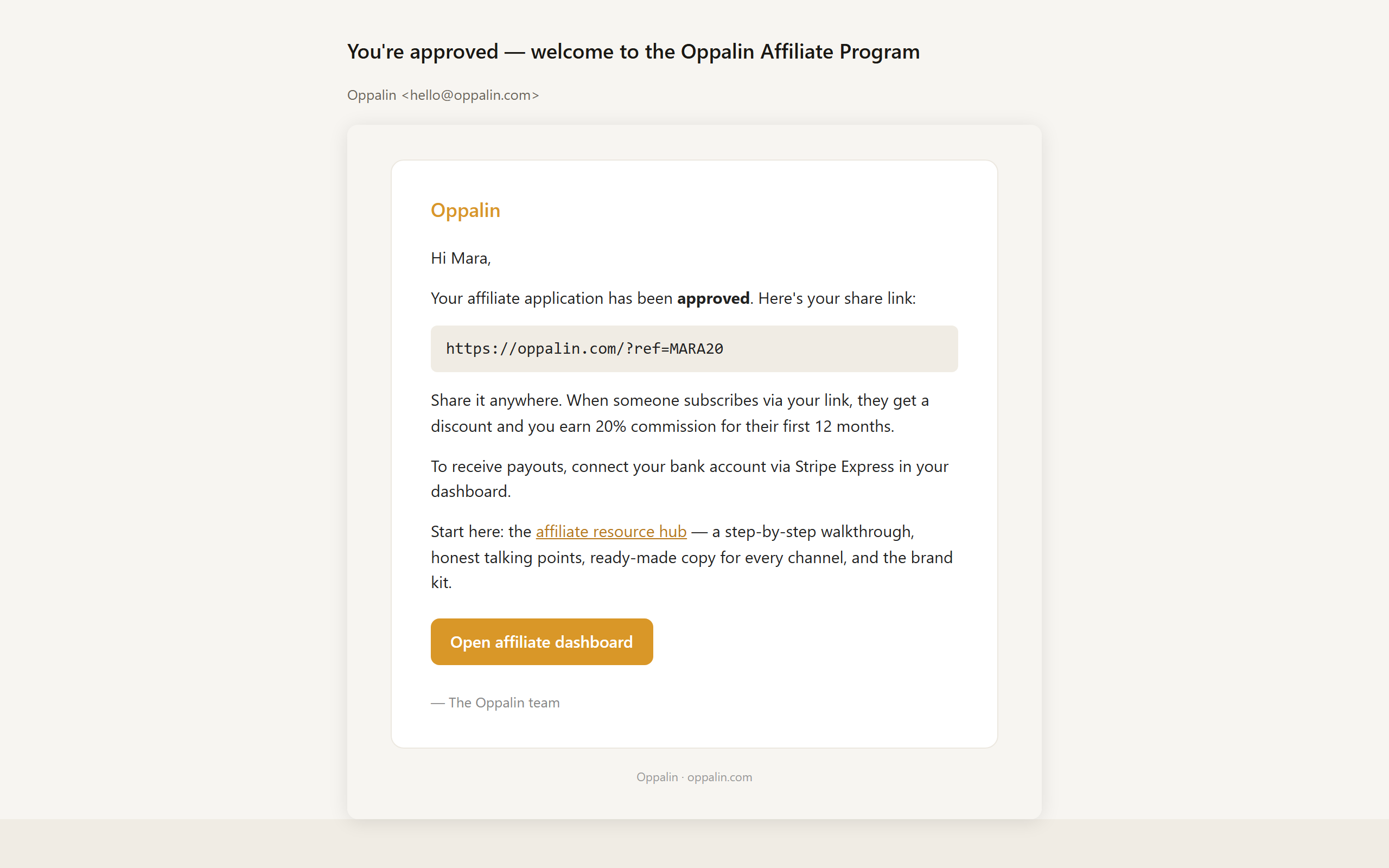
Copia tu enlace o tu código QR
Tu panel de afiliado guarda tres variantes listas de tu enlace — inicio, precios y blog — para llevar a cada persona a la página que encaja con lo que estás contando. También hay un código QR descargable para charlas, impresos y cualquier cosa en cámara.
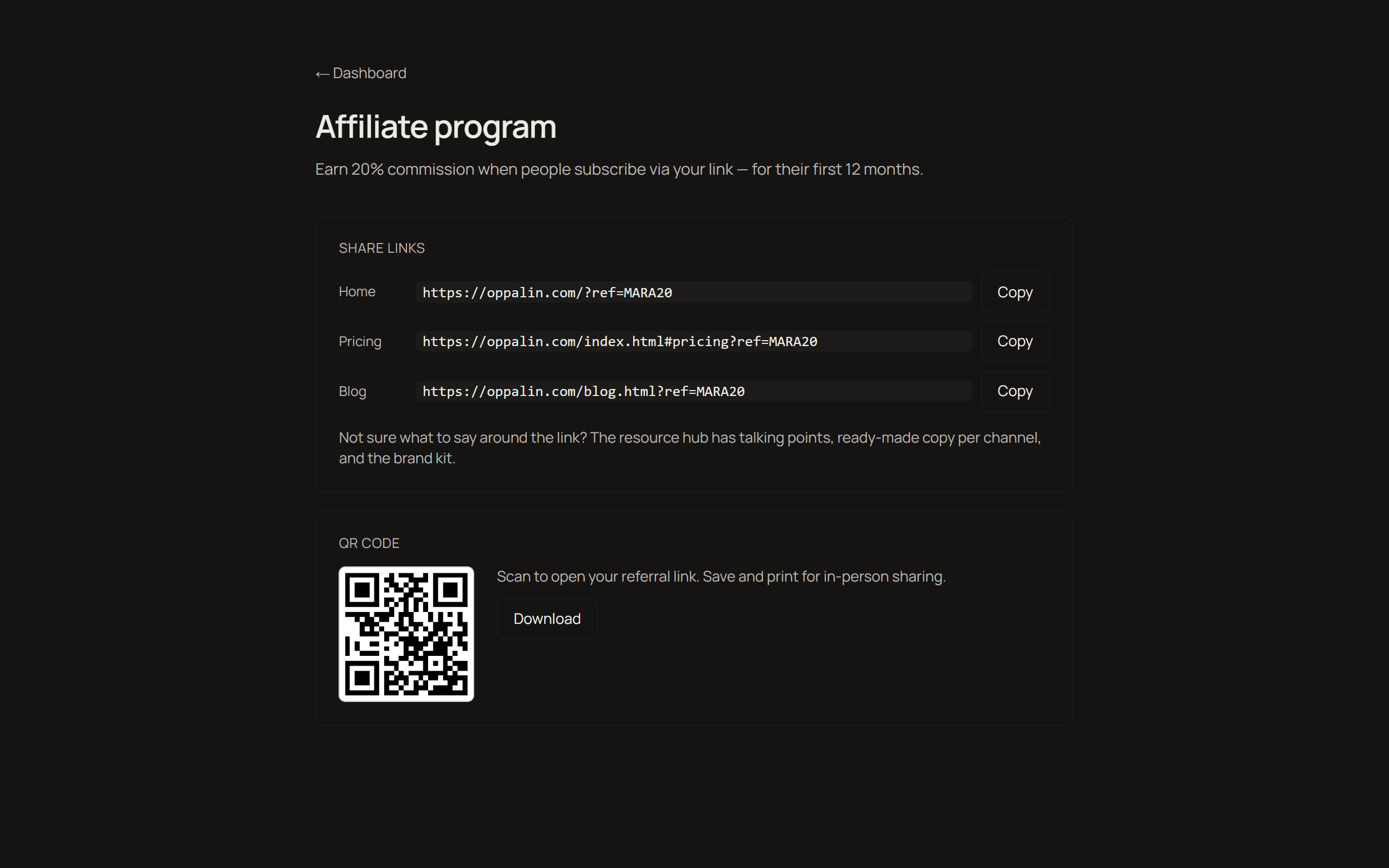
Conecta los pagos con Stripe Express
Los pagos van por Stripe Express. Te pedirá los datos de identidad y bancarios habituales — eso ocurre del lado de Stripe, y tus datos bancarios nunca pasan por nuestros servidores. Stripe Express no está disponible en todos los países; si el tuyo no lo está, escríbenos antes de empezar a promocionar para decirte cómo queda la cosa.
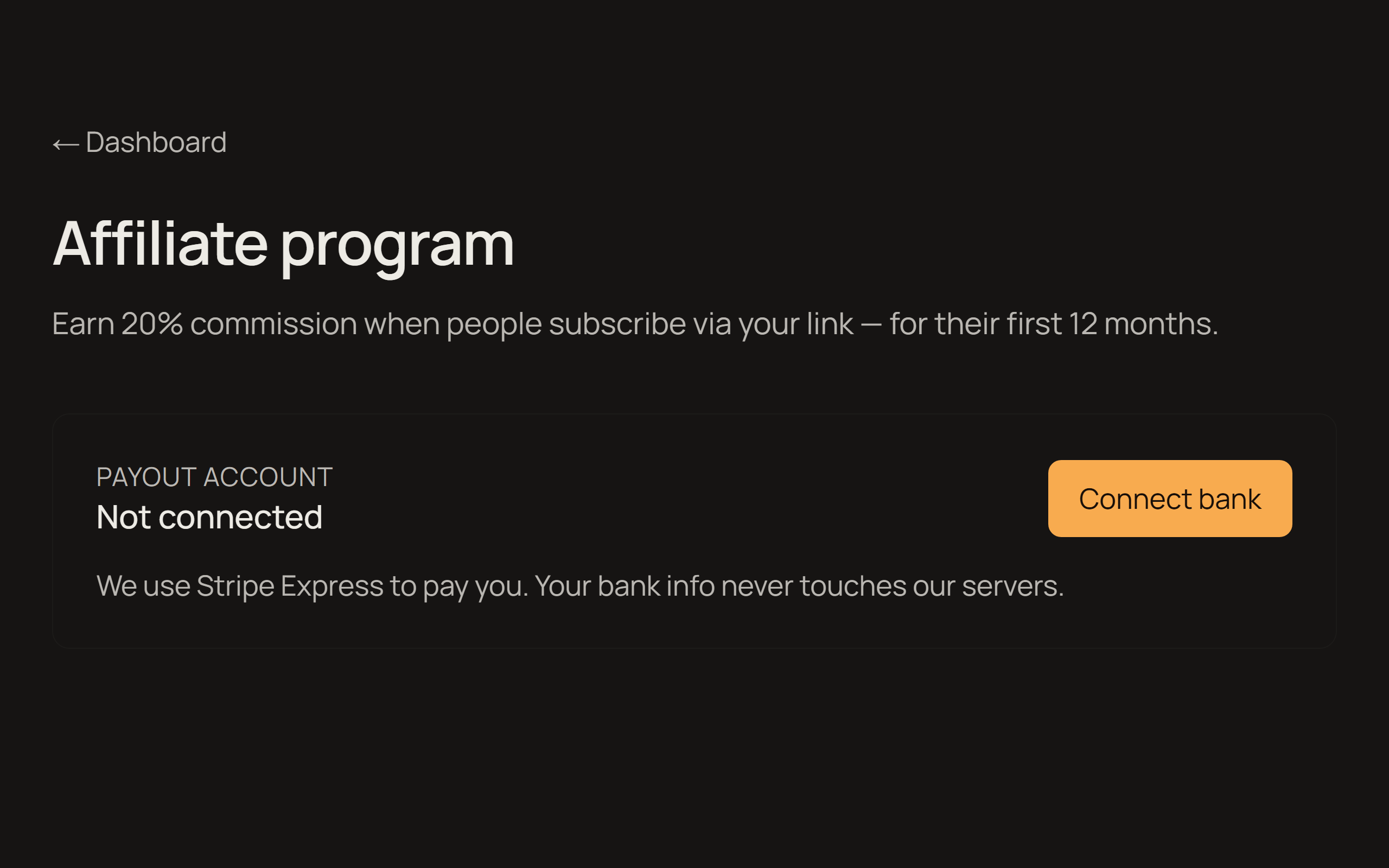
Sigue clics, referidos y pagos
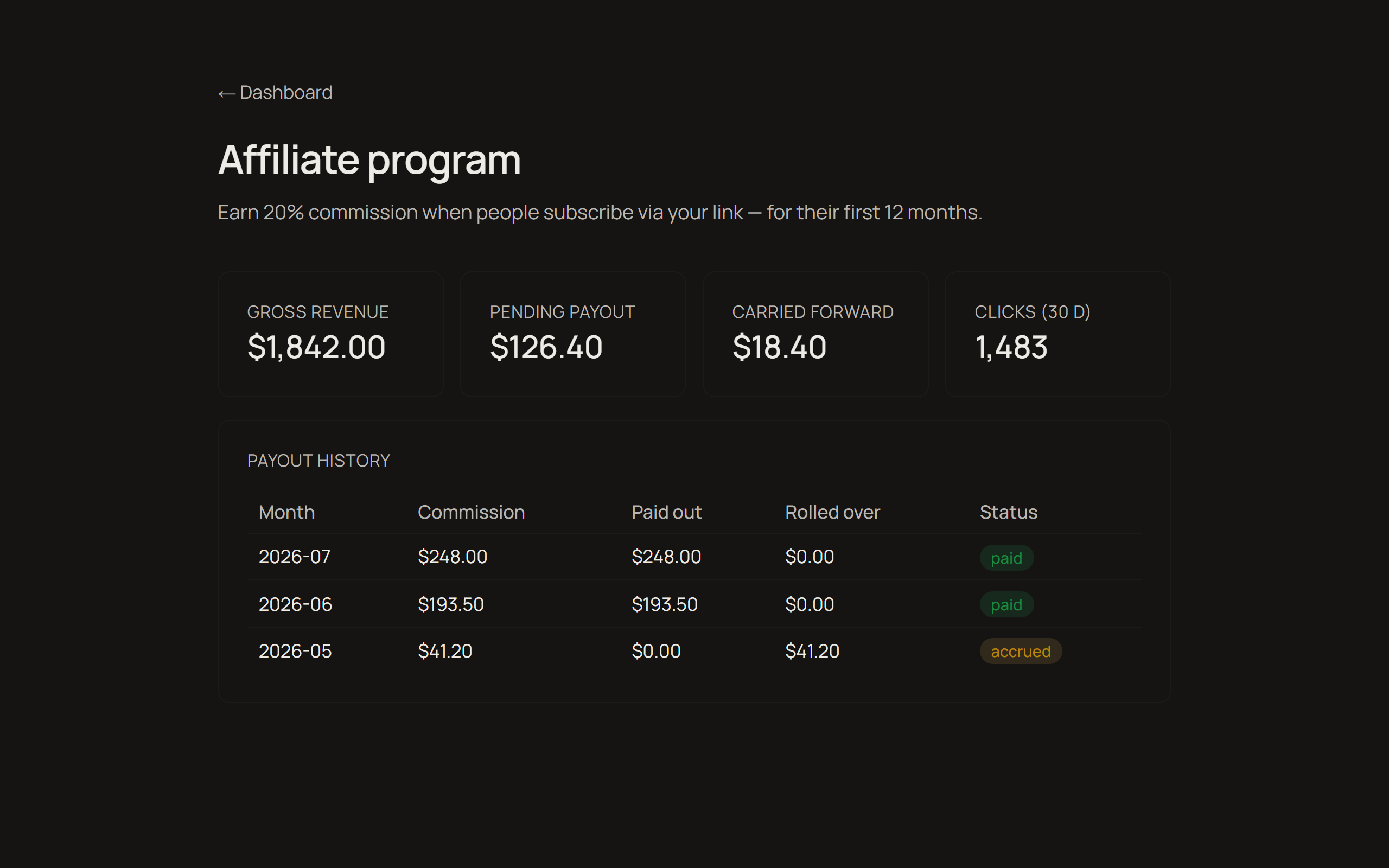
El panel muestra clics, ingresos referidos, lo que has ganado y lo que ya se ha pagado. La comisión es del 20% de los ingresos netos de suscripción durante los primeros 12 meses de cada cliente, y se paga mensualmente en cuanto tu saldo supera los 25 USD — por debajo, pasa al mes siguiente. Los términos completos están en la página del programa.
Vídeo paso a paso
Los mismos cinco pasos, en pantalla, en menos de tres minutos.
Qué contarle a tu audiencia
Comparativas honestas frente a las herramientas que la gente ya usa. Cada una termina con una recomendación que a veces se aleja de Oppalin — es a propósito, y es justo la parte que te hace ganar confianza. Copia una sección y adáptala a tu voz.
Estos bloques están solo en inglés a propósito: tú conoces el idioma de tu audiencia mejor que cualquier traducción.
Framing: these tools are made for different moments. Miro and FigJam are built for meetings. PureRef is built for solo painting sessions. Oppalin is built to be the wall that stays up between all of that.
Oppalin vs PureRef
PureRef is the beloved standard for reference boards among concept artists, and it is great. It's free, it runs offline, it's lightweight, and it has that neat always-on-top overlay mode while you paint. For a solo artist at their desk, PureRef is hard to beat.
The weak spot: PureRef boards are local files on one machine. To show someone else, you need to get them to install it as well, and send a new file after every update.
Oppalin is essentially that missing half. Open it from any device, let a collaborator drop things in, send the link instead of the file.
Honest recommendation to give your audience: solo, offline, overlay-while-painting → PureRef. Shared, cross-device, living at a link → Oppalin. Plenty of artists will reasonably use both.
Oppalin vs Miro
Miro is the workshop canvas: facilitation tools, voting dots, timers, sprint modes, hundreds of templates, enterprise integrations. If you're running a structured remote workshop with twelve people and a deliverable at the end, Miro is the right tool — Oppalin doesn't attempt any of that.
The tradeoff is that all of that machinery is there every time you open it. For simple reference work — a moodboard, a research wall — Miro feels like renting a conference center to pin up three postcards. Oppalin is the opposite bet: just the surface.
Honest recommendation: structured team workshops → Miro. A surface for things you're still thinking about → Oppalin.
Oppalin vs FigJam
FigJam's strength is the Figma ecosystem. If your team already lives in Figma, FigJam is right there with its quick brainstorms, stickies, cursor chat, and a short hop from whiteboard to design file. For design teams running collaborative sessions inside that world, it's a natural fit.
FigJam is meeting-shaped, though: it assumes a session with a start and an end.
Oppalin is built for the board that stays open for weeks without pressure to converge. It also stands alone — no Figma account or ecosystem required, which matters for the illustrators and game artists who never touched Figma in the first place.
Honest recommendation: already in Figma, running live sessions → FigJam. A standing reference wall, especially outside the Figma world → Oppalin.
"So what does Oppalin actually do better?"
It's the only one of these built around the reference board as a permanent place, with direct Pinterest board import — somewhere you set up a place rather than a session or a file, and can share it with a link.
Not having hundreds of templates and tools is a decision: the tool is simple so that it doesn't induce procrastination or paralysis.
And if another tool is better for someone, say so. A viewer who trusts your comparison is worth more to everyone, you included.
FAQ para tu audiencia
Las preguntas que tu audiencia va a hacer de verdad, respondidas como las responderíamos nosotros. Si algo no está aquí, escríbenos a hello@oppalin.com en vez de adivinar — una respuesta equivocada dicha con seguridad sale más cara que una respuesta lenta.
The basics
What is Oppalin?
A board for images, notes, and arrows that lives at a URL instead of in a file. You drop things in, move them around, and send the link. It's built for reference work: moodboards, research walls, the material you're still thinking about. Oppalin imports a Pinterest board directly, so the images you already collected are easy to bring in and work with.
Who is it for?
Concept artists, illustrators, game artists, designers, and anyone who keeps reference boards.
Do I need to install anything?
No. It runs in the browser, including on Android touch devices. A board is a web page.
Is there a desktop or offline app?
No, and there isn't one planned. Oppalin is URL-first. If you need offline reference boards, PureRef is excellent and we recommend it.
Pricing
Is the free tier a trial?
No. Free is a real tier for solo work, with no countdown. You can stay on it forever. Pro adds unlimited boards and more storage.
How much is Pro?
Check the pricing section on oppalin.com for current details — prices are localized, so quoting a figure from memory will be wrong for part of your audience.
What's the Founders' Lifetime license?
A one-time launch offer: Pro for life for a single payment (~$99), hard-capped at 250 licenses, with a 20 GB storage ceiling. It's sold once, during the launch window, and never again. If your audience asks whether to wait for it to come back: it won't.
Do viewers of my board need to pay?
No. Anyone with the link can view a shared board without an account or payment. Paid tiers are about what you can create and store, not who can look.
The product
Where are the templates?
There aren't any, on purpose. Every board starts from nothing — that's where the thinking is. If someone's looking for sticky-note workshop templates, Miro or FigJam will serve them better, honestly.
Can I export my board to PDF/PNG/etc.?
There's no export flow. The board is a URL; sharing it means sending the link. Your images remain your images — you can always save them back out individually.
Is my content used to train AI?
No. Boards are never used to train AI models, ours or anyone else's. There are also no ads, and no selling of personal data. Full details in the privacy policy at oppalin.com.
Who can see my boards?
Private boards: only you and the people you invite. Link-shared boards: anyone with the link. Public boards: anyone, and they may appear in search engines. You choose per board.
Textos listos, por canal
Puntos de partida, no guiones — cambia [YOUR LINK] por tu enlace de referido y reescríbelo hasta que suene a ti. Todos incluyen una línea de divulgación; por favor, consérvala.
Descripción de YouTube
I use Oppalin for the moodboards in this video — a collaborative moodboard app for people who think in images. Infinite canvas, drag in references, arrange them, draw on top, share the board with a link.

Try it free: [YOUR LINK]

Affiliate link: you get 10% off, and it supports the channel at no extra cost to you.
Post corto / tuit
Oppalin is the moodboard tool I keep going back to: infinite canvas, drop in references, arrange, mark up, share a link. The free tier is a real free tier, not a trial.

[YOUR LINK] — affiliate link, 10% off.
Párrafo de newsletter
One tool I've been using lately: Oppalin, a collaborative moodboard app. You drop images onto an infinite canvas, arrange them until the idea reads, draw and annotate on top, and send someone a link — they can edit with you in real time without making an account of their own. It imports straight from Pinterest, which saved me the usual download-and-re-upload ritual.

It's free to start (3 boards, 500 MB), and Pro is $7/month if you outgrow that. If you want to try it: [YOUR LINK] — that's an affiliate link and gets you 10% off.
Descripción de pin de Pinterest
Build a colour-scheme moodboard in minutes: import your pins straight into Oppalin, arrange them on an infinite canvas, and share the board with a link. Free to start. [YOUR LINK] (affiliate link, 10% off) #moodboard #colorpalette #designtools #creativeprocess
Kit de marca
Logos, capturas y una tarjeta social — todo en una descarga, o coge archivos sueltos abajo.









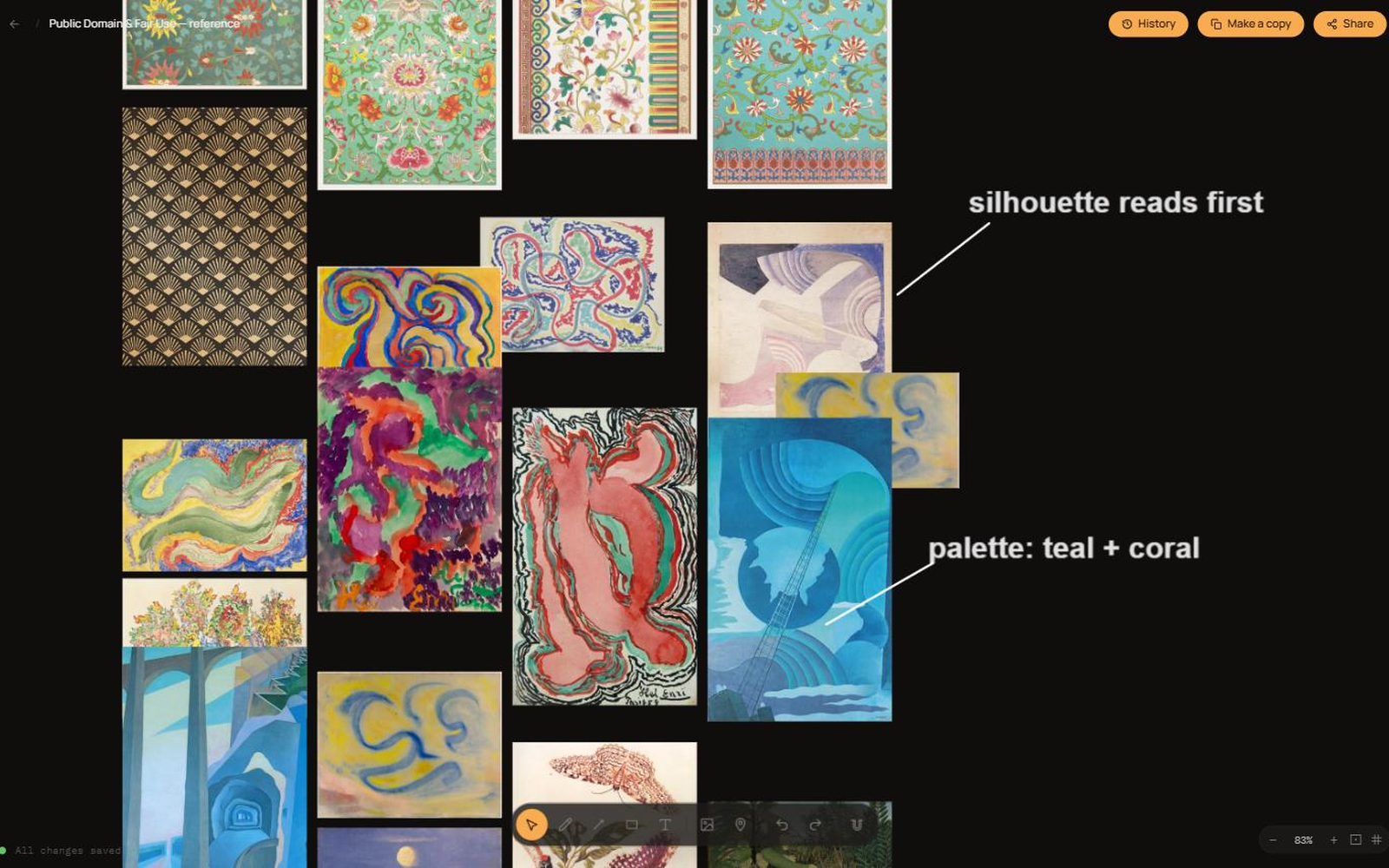
Capturas del producto
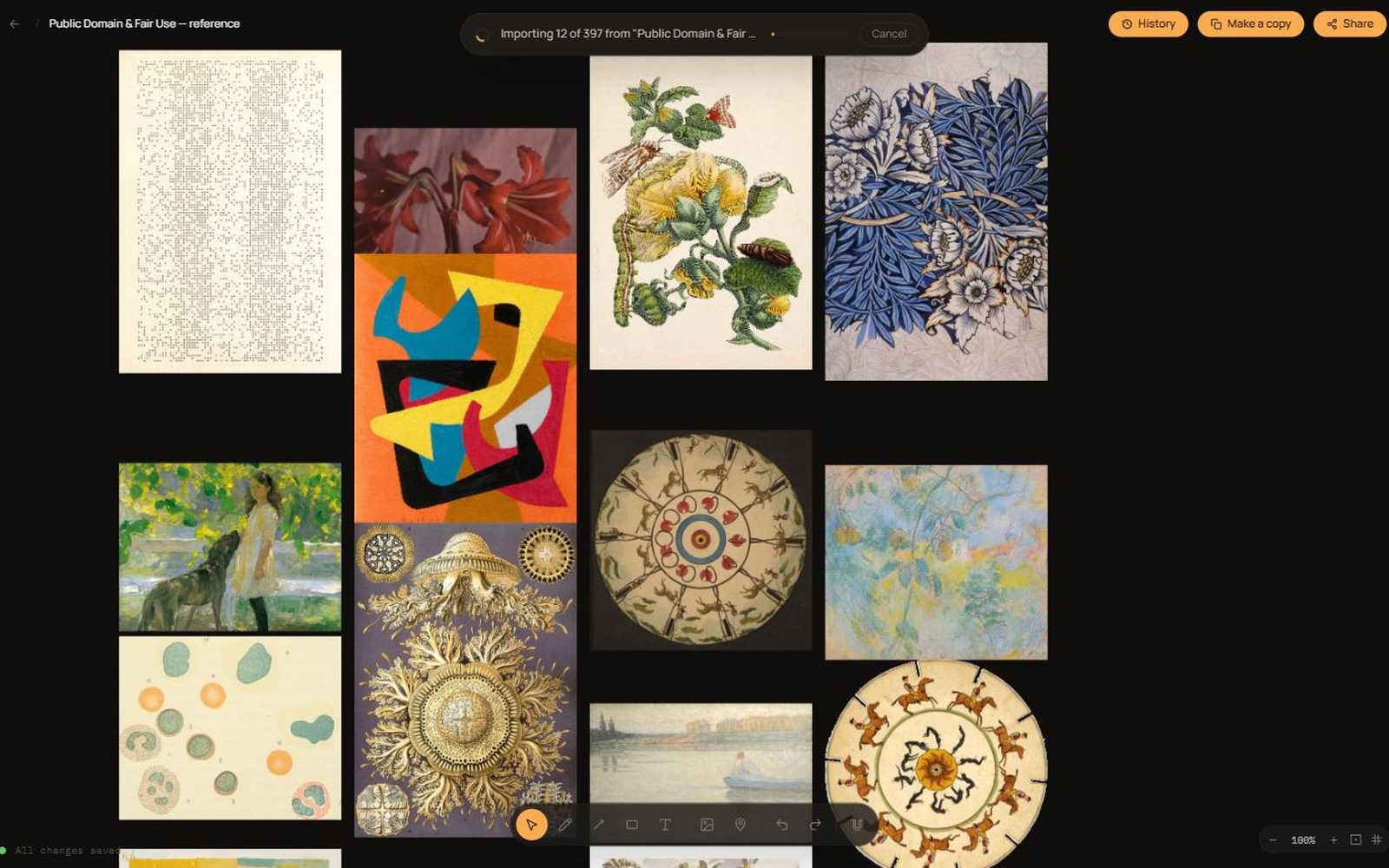
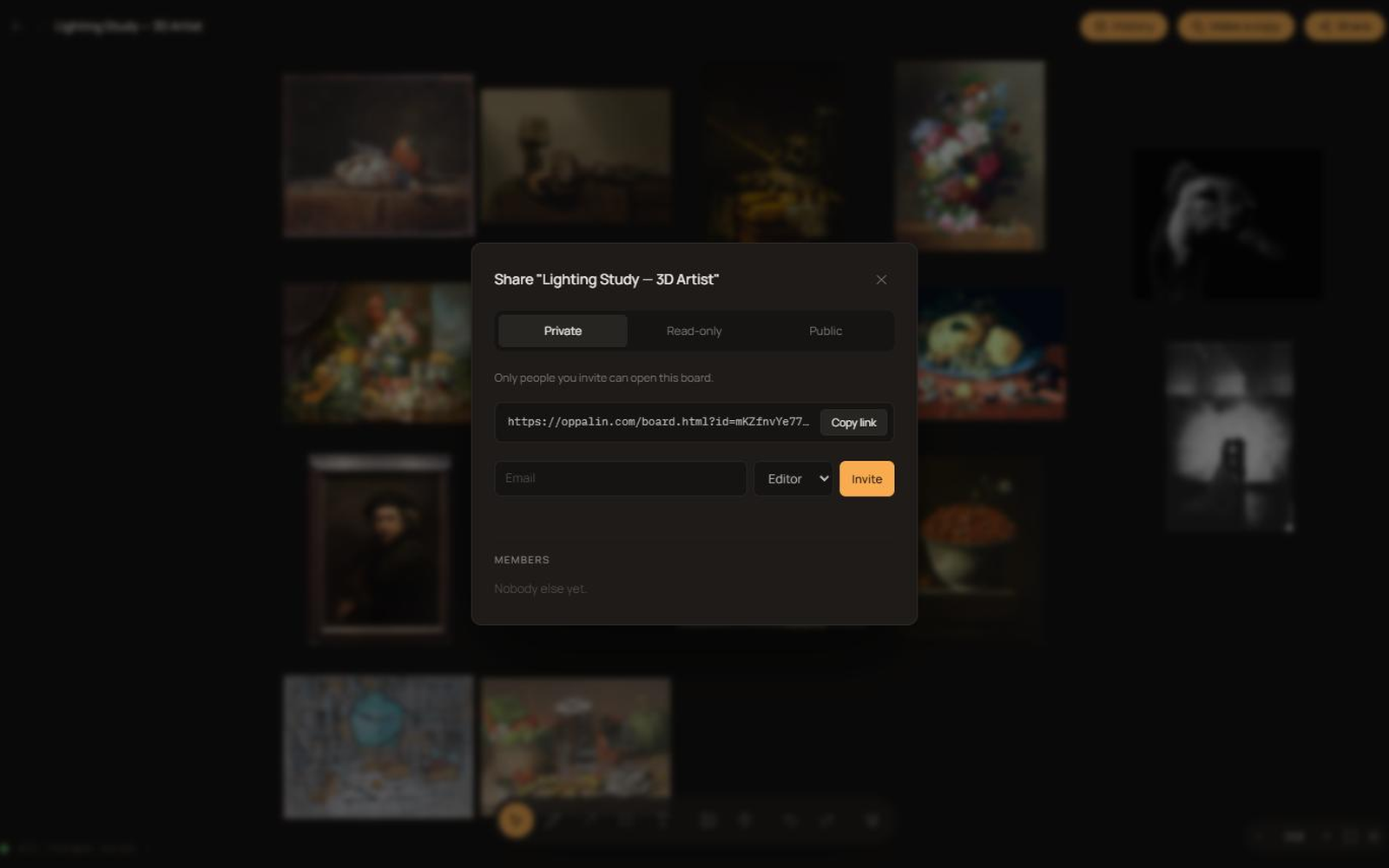
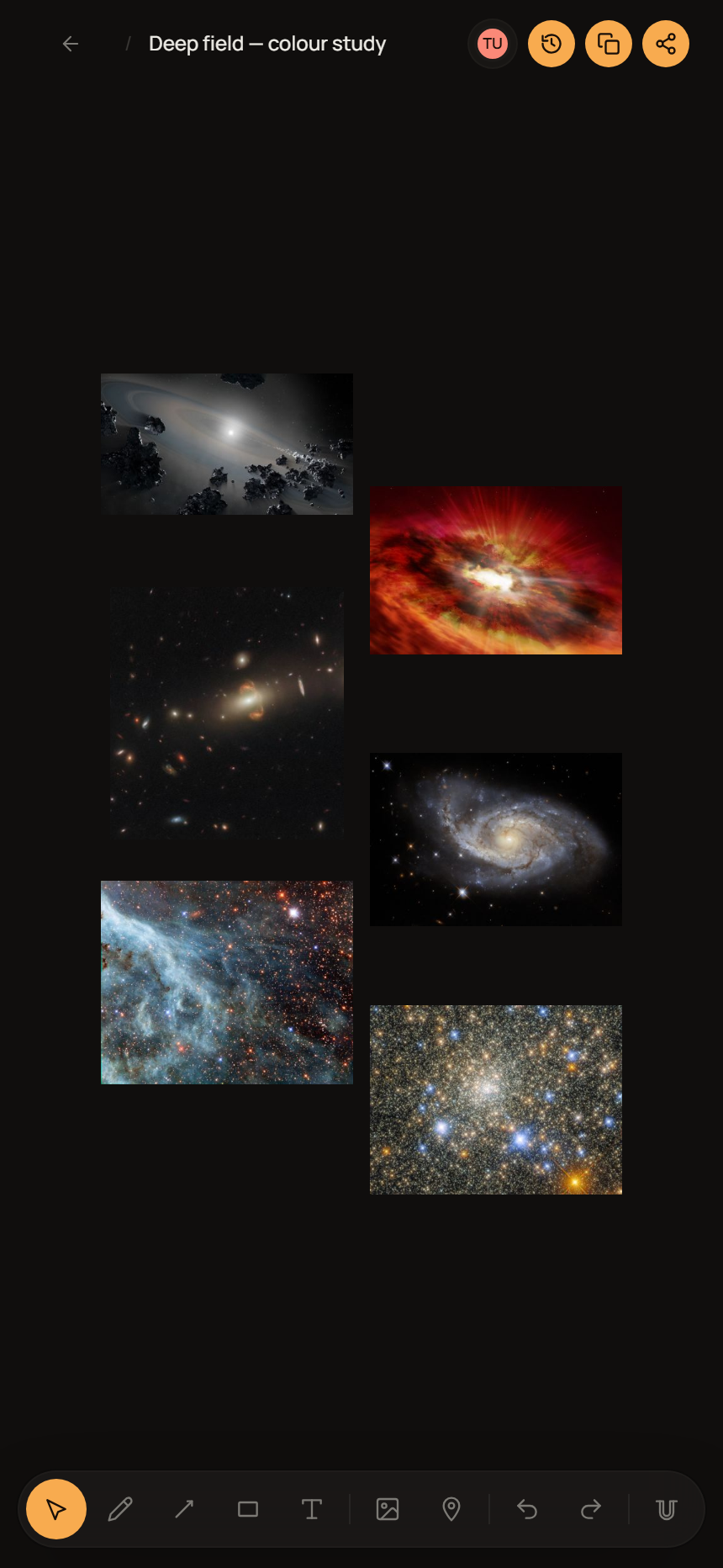
Cómo usar los archivos
- Escálalo, no lo deformes. Nada de estirar, aplastar, girar ni recolorear el logo. Deja a su alrededor un espacio libre de al menos la altura del símbolo circular.
- Ajústalo al fondo. Usa el archivo para fondo claro u oscuro en vez de añadir contorno, sombra o caja para forzar el contraste.
- "Oppalin", con O mayúscula, una sola palabra. No OppaLin, ni Opalin.
- Afiliado, no socio. Di que eres afiliado de Oppalin. Por favor, no te presentes como socio, revendedor o patrocinador, ni des a entender que respaldamos tus otros productos.
- Las capturas son tuyas para recortar y anotar — solo no las edites para mostrar funciones, precios o comportamientos que no existen.
Reglas del programa, en lenguaje claro
Lista corta. Protege a tu audiencia, tu reputación y el programa. La versión vinculante son los Términos de Afiliado — si alguna vez difieren, mandan los términos.
- Declara siempre la relación. La FTC y sus equivalentes lo exigen, y además es lo decente. Con poner "enlace de afiliado" cerca del enlace basta.
- Nada de autorreferidos. Tu propio enlace no te paga por tu propia suscripción — está bloqueado técnicamente, e intentar esquivarlo termina el acuerdo.
- No pujes por nuestro nombre. Nada de anuncios sobre "Oppalin", oppalin.com o variantes con errores tipográficos. Estarías pagando por interceptar a gente que ya venía hacia nosotros.
- Nada de spam ni registros incentivados. Sin correo masivo no solicitado, sin webs de cupones, sin pagar ni premiar a quien se registre con tu enlace.
- No tergiverses funciones ni precios. No prometas algo del roadmap como si ya existiera y no cites precios de memoria — consulta la página de precios.
- Sé honesto, también sobre nosotros. Si otra herramienta le encaja mejor a alguien, dilo. Preferimos perder un registro a que tu audiencia se sienta vendida — por eso las comparativas de arriba recomiendan otras opciones cuando toca.
¿Falta algo?
Si necesitas un archivo, un dato o una respuesta que no está en esta página, escribe a hello@oppalin.com. Preferimos escribirlo una vez a que tengas que adivinar.