Oppalin을 소개하는 데 필요한 모든 것
승인된 제휴 파트너를 위해 쓴 페이지이지만, 신청을 고민 중인 분에게도 열려 있습니다. 필요한 것만 가져가 본인의 말로 전하세요. Oppalin이 무엇인지 추측할 필요는 없습니다.
시작하기, 단계별로
신청부터 첫 정산까지 다섯 단계입니다. 1~3단계는 보통 반나절이면 끝나고, 이후는 Stripe 인증 속도에 달려 있습니다.
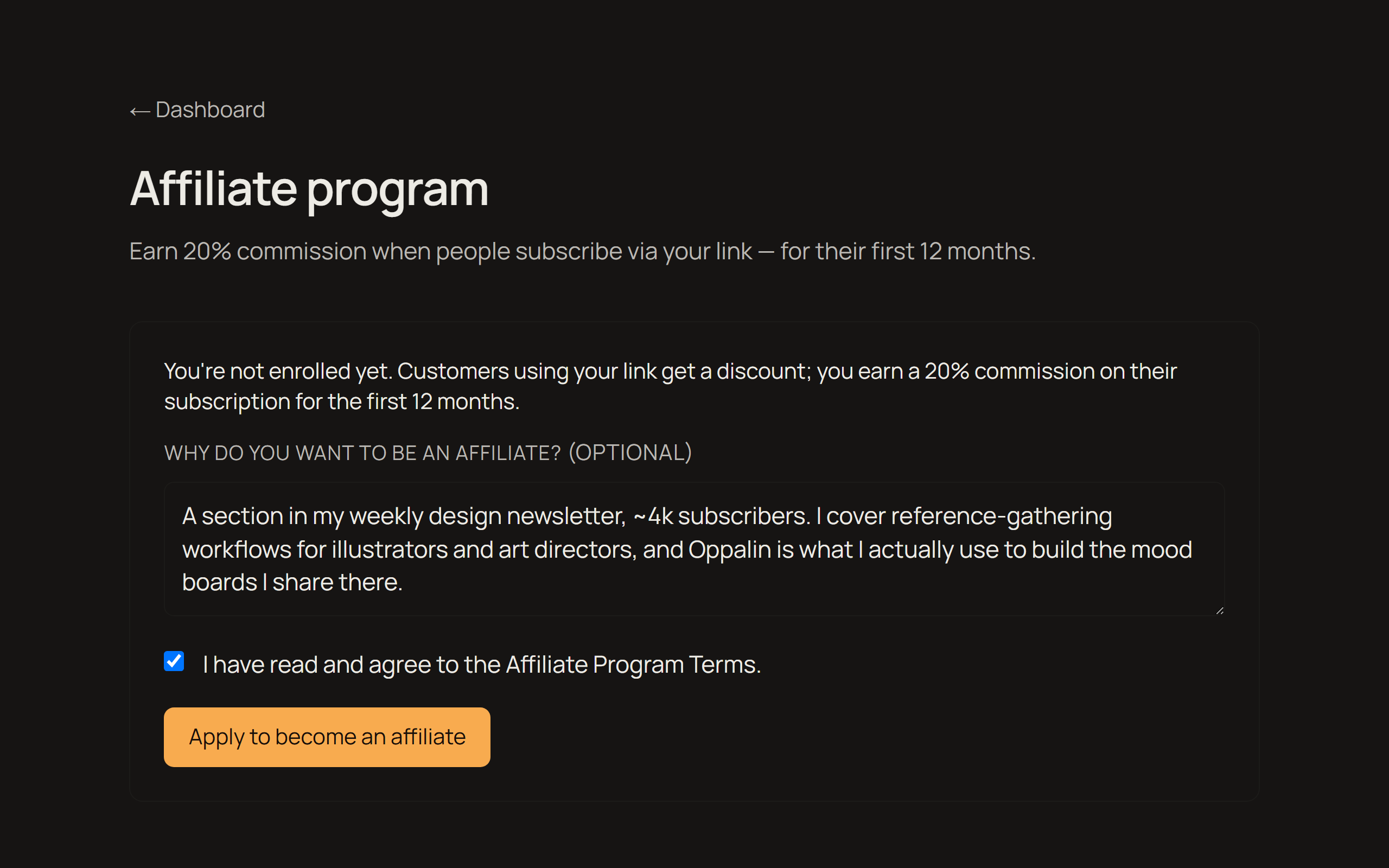
신청하기
신청서는 짧고, 정말 중요한 것 하나를 묻습니다. Oppalin을 어떻게 알릴 계획인지입니다. 구체적일수록 좋습니다 — "소셜 미디어"보다 "구독자 4천 명 규모 주간 디자인 뉴스레터의 한 코너"가 낫습니다. 모든 신청을 직접 읽고 보통 며칠 안에 답장드립니다.
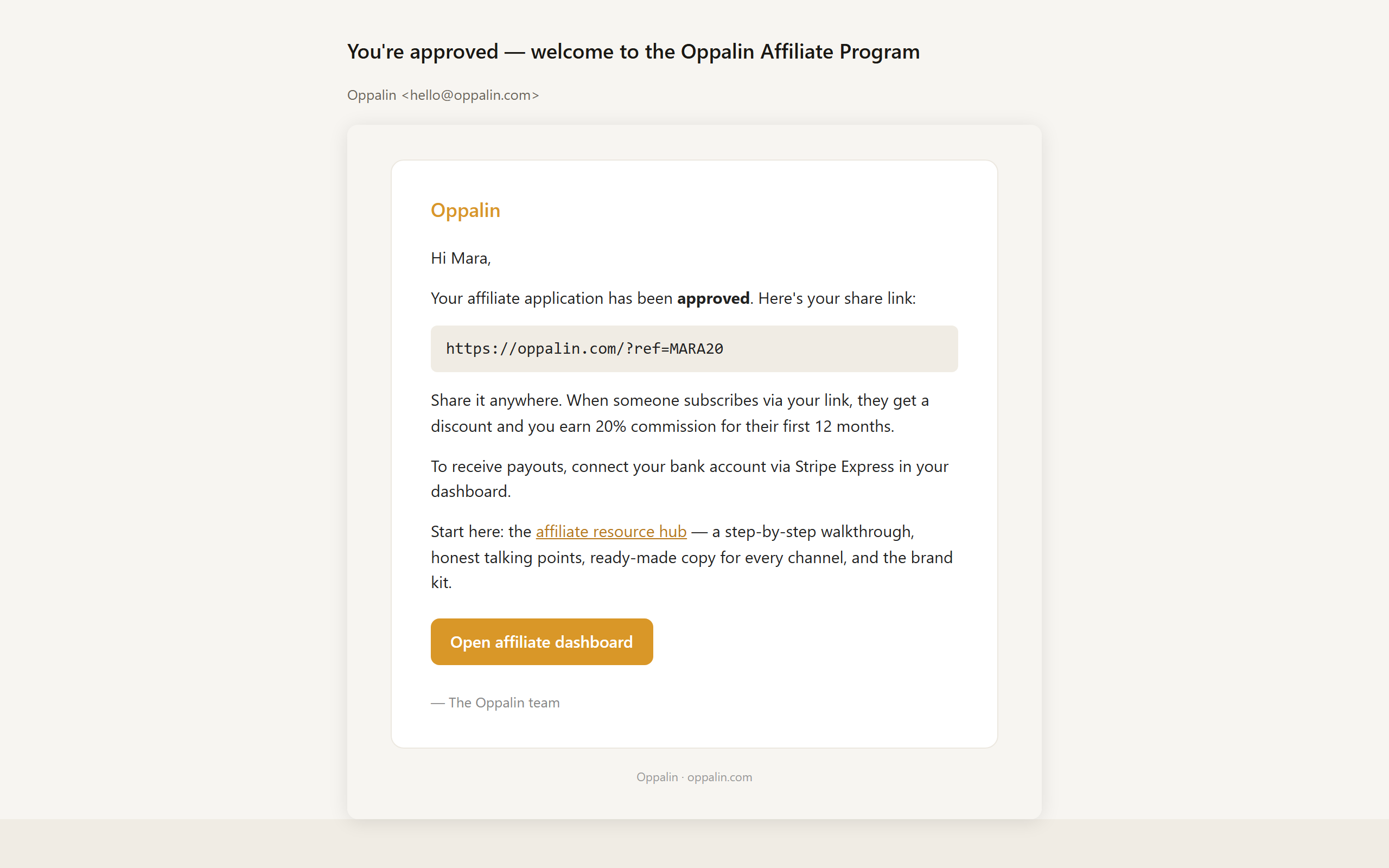
승인 메일 → 코드와 링크
승인되면 개인 추천 링크가 담긴 메일을 받습니다. 이 링크에는 할인 코드가 함께 붙어 있어, 링크로 들어온 분들은 10% 할인을 받습니다. 추적만 하는 것이 아니라 실제로 무언가를 드리는 셈입니다.
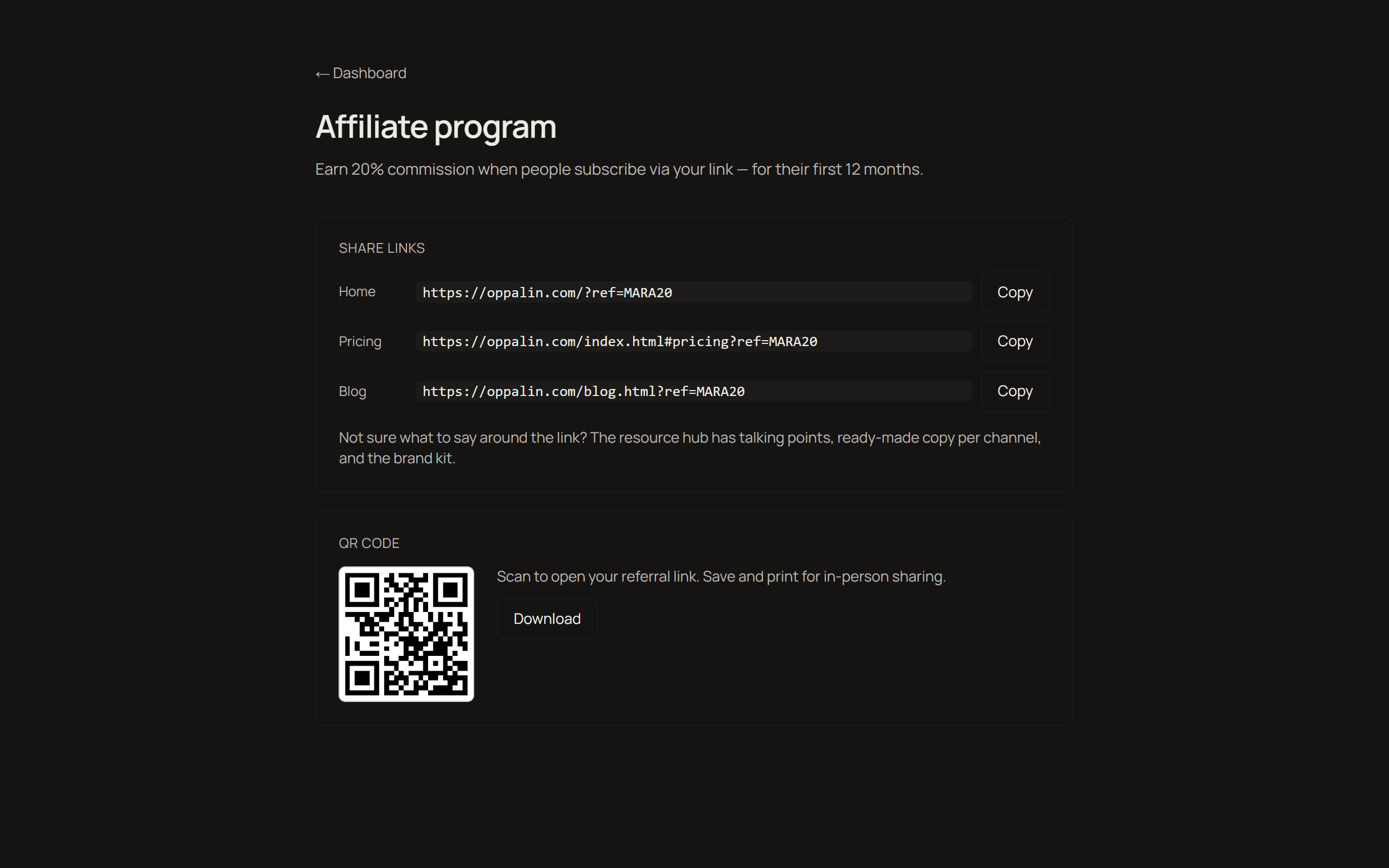
링크나 QR 코드 복사하기
제휴 대시보드에는 홈, 요금제, 블로그 세 가지 링크 변형이 준비돼 있어, 이야기하는 주제에 맞는 페이지로 바로 보낼 수 있습니다. 발표나 인쇄물, 화면에 띄울 용도의 QR 코드도 내려받을 수 있습니다.
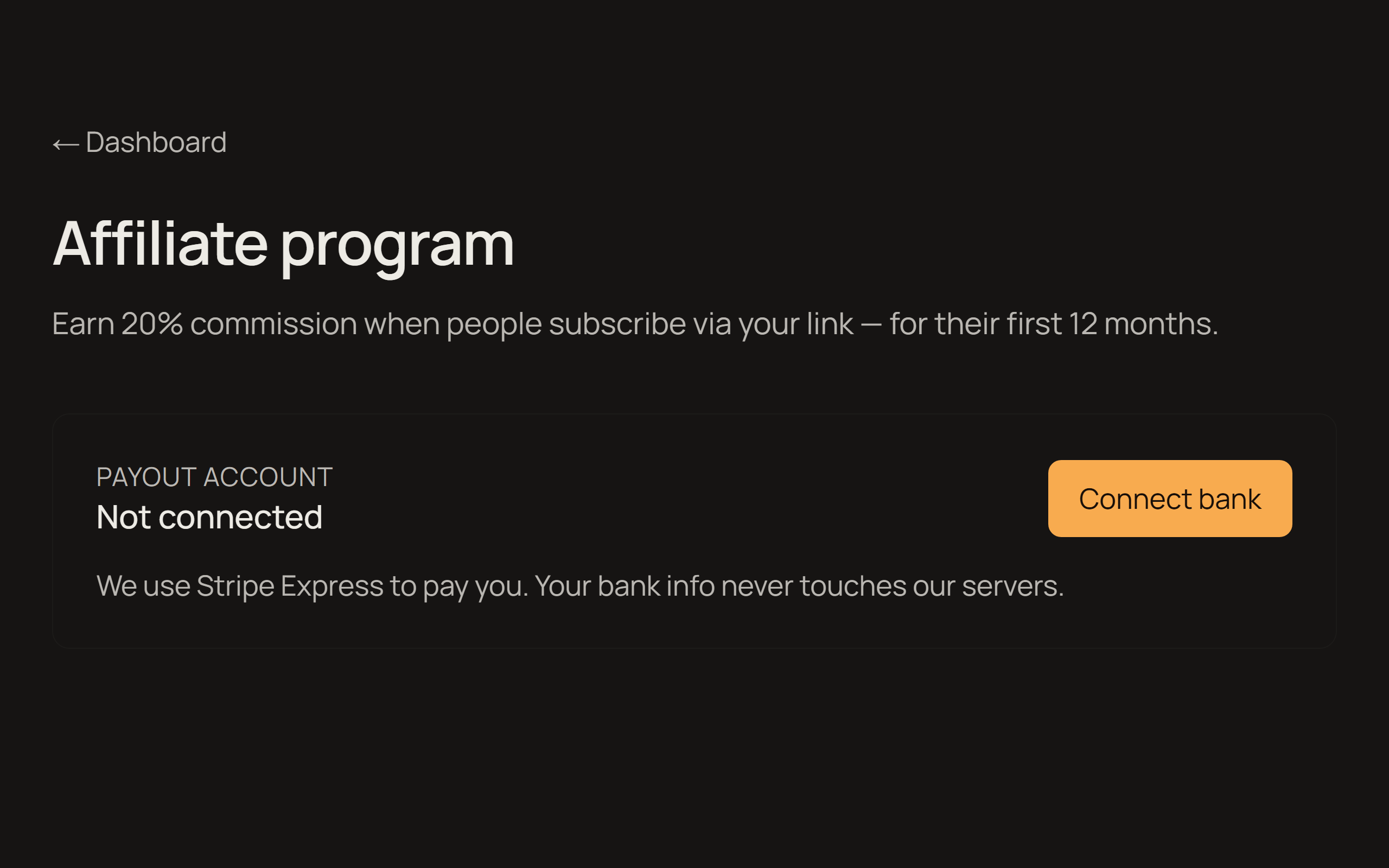
Stripe Express로 정산 연결하기
정산은 Stripe Express를 통해 이뤄집니다. 신원과 계좌 정보를 입력하게 되는데, 이는 모두 Stripe 쪽에서 처리되며 계좌 정보가 저희 서버에 저장되는 일은 없습니다. Stripe Express는 모든 국가에서 지원되지는 않습니다. 거주 국가가 지원되지 않는다면 홍보를 시작하기 전에 먼저 메일 주세요.
클릭, 추천, 정산 확인하기
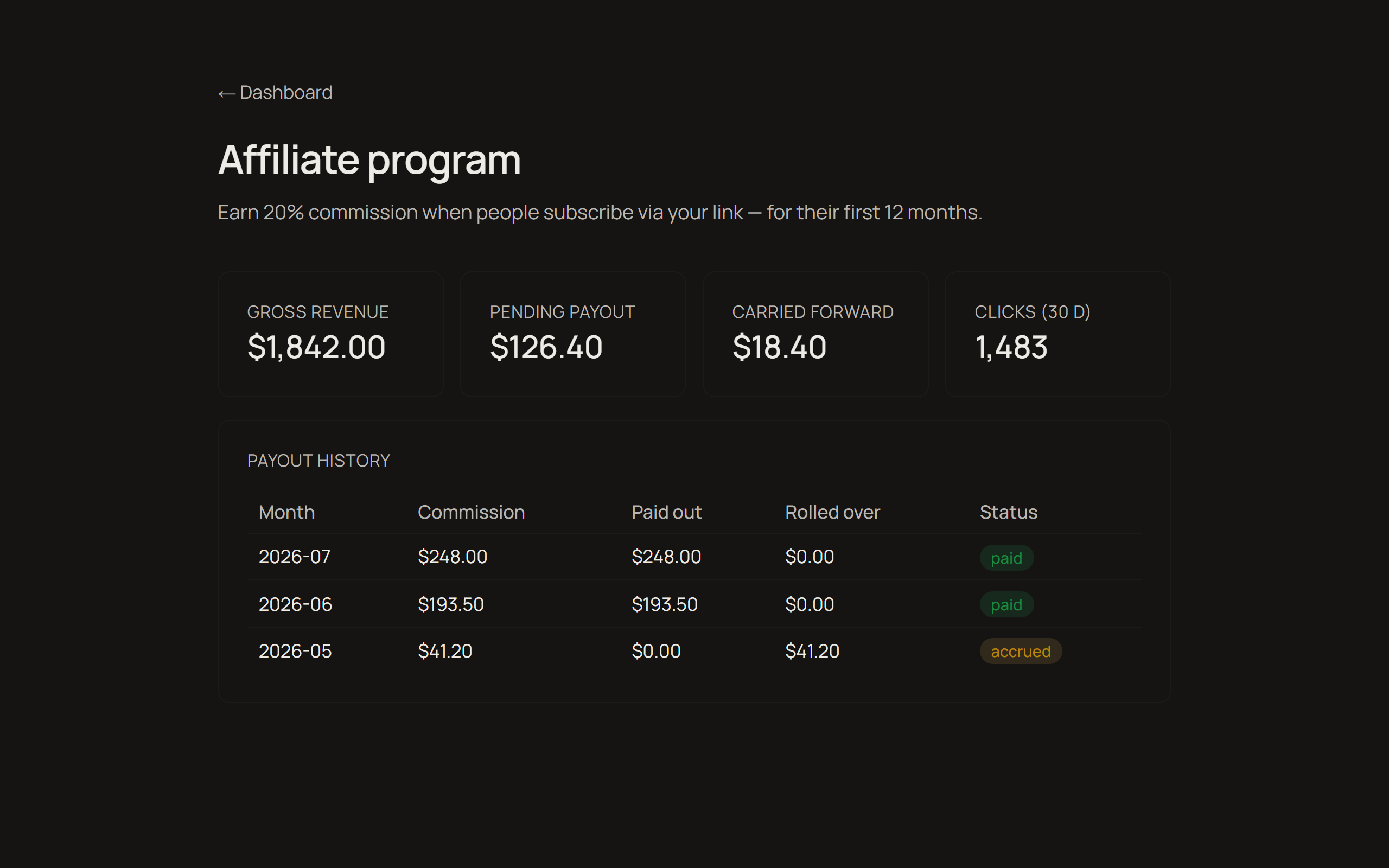
대시보드에서 클릭 수, 추천으로 발생한 매출, 적립 금액과 지급 내역을 볼 수 있습니다. 커미션은 고객 한 명당 첫 12개월 동안 순 구독 매출의 20%이며, 잔액이 25달러를 넘으면 매달 지급됩니다. 그 아래 금액은 다음 달로 이월됩니다. 전체 조건은 프로그램 페이지에 있습니다.
영상 안내
같은 다섯 단계를 화면으로, 3분 이내에.
청중에게 할 이야기
사람들이 이미 쓰고 있는 도구들과의 솔직한 비교입니다. 각 항목은 때로 Oppalin이 아닌 쪽을 권하는 결론으로 끝납니다. 의도된 것이고, 바로 그 부분이 신뢰를 만듭니다. 필요한 섹션을 복사해 본인의 어조로 다듬어 쓰세요.
이 블록들은 일부러 영어로만 제공합니다. 청중의 언어는 번역보다 여러분이 더 잘 아니까요.
Framing: these tools are made for different moments. Miro and FigJam are built for meetings. PureRef is built for solo painting sessions. Oppalin is built to be the wall that stays up between all of that.
Oppalin vs PureRef
PureRef is the beloved standard for reference boards among concept artists, and it is great. It's free, it runs offline, it's lightweight, and it has that neat always-on-top overlay mode while you paint. For a solo artist at their desk, PureRef is hard to beat.
The weak spot: PureRef boards are local files on one machine. To show someone else, you need to get them to install it as well, and send a new file after every update.
Oppalin is essentially that missing half. Open it from any device, let a collaborator drop things in, send the link instead of the file.
Honest recommendation to give your audience: solo, offline, overlay-while-painting → PureRef. Shared, cross-device, living at a link → Oppalin. Plenty of artists will reasonably use both.
Oppalin vs Miro
Miro is the workshop canvas: facilitation tools, voting dots, timers, sprint modes, hundreds of templates, enterprise integrations. If you're running a structured remote workshop with twelve people and a deliverable at the end, Miro is the right tool — Oppalin doesn't attempt any of that.
The tradeoff is that all of that machinery is there every time you open it. For simple reference work — a moodboard, a research wall — Miro feels like renting a conference center to pin up three postcards. Oppalin is the opposite bet: just the surface.
Honest recommendation: structured team workshops → Miro. A surface for things you're still thinking about → Oppalin.
Oppalin vs FigJam
FigJam's strength is the Figma ecosystem. If your team already lives in Figma, FigJam is right there with its quick brainstorms, stickies, cursor chat, and a short hop from whiteboard to design file. For design teams running collaborative sessions inside that world, it's a natural fit.
FigJam is meeting-shaped, though: it assumes a session with a start and an end.
Oppalin is built for the board that stays open for weeks without pressure to converge. It also stands alone — no Figma account or ecosystem required, which matters for the illustrators and game artists who never touched Figma in the first place.
Honest recommendation: already in Figma, running live sessions → FigJam. A standing reference wall, especially outside the Figma world → Oppalin.
"So what does Oppalin actually do better?"
It's the only one of these built around the reference board as a permanent place, with direct Pinterest board import — somewhere you set up a place rather than a session or a file, and can share it with a link.
Not having hundreds of templates and tools is a decision: the tool is simple so that it doesn't induce procrastination or paralysis.
And if another tool is better for someone, say so. A viewer who trusts your comparison is worth more to everyone, you included.
청중용 FAQ
청중이 실제로 물어볼 질문들을, 저희가 답할 방식 그대로 정리했습니다. 여기에 없는 내용은 추측하지 마시고 hello@oppalin.com으로 물어봐 주세요. 자신 있게 말한 틀린 답이 늦은 답보다 훨씬 비쌉니다.
The basics
What is Oppalin?
A board for images, notes, and arrows that lives at a URL instead of in a file. You drop things in, move them around, and send the link. It's built for reference work: moodboards, research walls, the material you're still thinking about. Oppalin imports a Pinterest board directly, so the images you already collected are easy to bring in and work with.
Who is it for?
Concept artists, illustrators, game artists, designers, and anyone who keeps reference boards.
Do I need to install anything?
No. It runs in the browser, including on Android touch devices. A board is a web page.
Is there a desktop or offline app?
No, and there isn't one planned. Oppalin is URL-first. If you need offline reference boards, PureRef is excellent and we recommend it.
Pricing
Is the free tier a trial?
No. Free is a real tier for solo work, with no countdown. You can stay on it forever. Pro adds unlimited boards and more storage.
How much is Pro?
Check the pricing section on oppalin.com for current details — prices are localized, so quoting a figure from memory will be wrong for part of your audience.
What's the Founders' Lifetime license?
A one-time launch offer: Pro for life for a single payment (~$99), hard-capped at 250 licenses, with a 20 GB storage ceiling. It's sold once, during the launch window, and never again. If your audience asks whether to wait for it to come back: it won't.
Do viewers of my board need to pay?
No. Anyone with the link can view a shared board without an account or payment. Paid tiers are about what you can create and store, not who can look.
The product
Where are the templates?
There aren't any, on purpose. Every board starts from nothing — that's where the thinking is. If someone's looking for sticky-note workshop templates, Miro or FigJam will serve them better, honestly.
Can I export my board to PDF/PNG/etc.?
There's no export flow. The board is a URL; sharing it means sending the link. Your images remain your images — you can always save them back out individually.
Is my content used to train AI?
No. Boards are never used to train AI models, ours or anyone else's. There are also no ads, and no selling of personal data. Full details in the privacy policy at oppalin.com.
Who can see my boards?
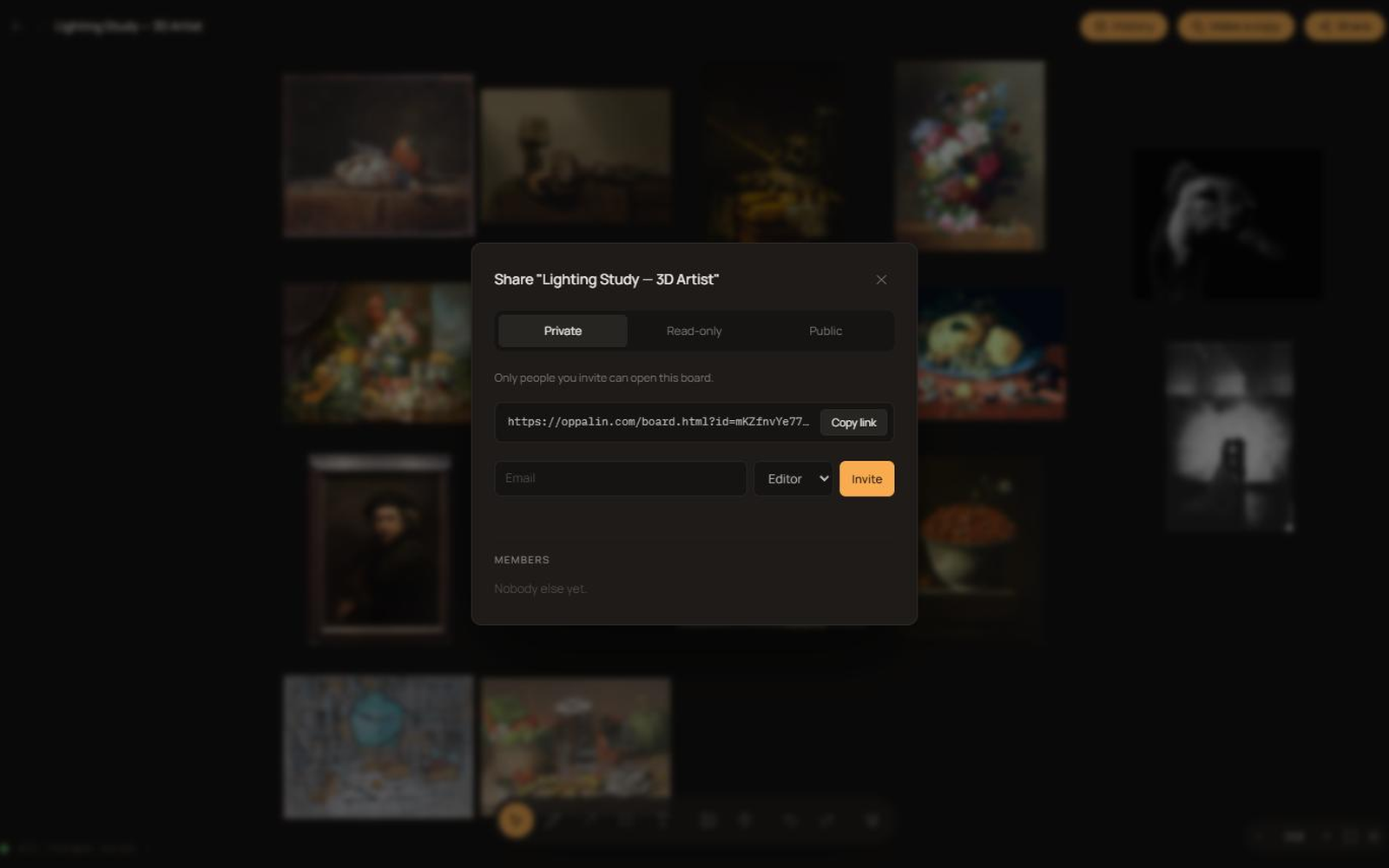
Private boards: only you and the people you invite. Link-shared boards: anyone with the link. Public boards: anyone, and they may appear in search engines. You choose per board.
채널별 바로 쓰는 문구
대본이 아니라 출발점입니다. [YOUR LINK]를 본인의 추천 링크로 바꾸고, 본인 말투가 될 때까지 고쳐 쓰세요. 모든 문구에 제휴 관계 고지 문장이 들어 있으니 그대로 남겨 주세요.
유튜브 설명란
I use Oppalin for the moodboards in this video — a collaborative moodboard app for people who think in images. Infinite canvas, drag in references, arrange them, draw on top, share the board with a link.

Try it free: [YOUR LINK]

Affiliate link: you get 10% off, and it supports the channel at no extra cost to you.
짧은 게시물 / 트윗
Oppalin is the moodboard tool I keep going back to: infinite canvas, drop in references, arrange, mark up, share a link. The free tier is a real free tier, not a trial.

[YOUR LINK] — affiliate link, 10% off.
뉴스레터 문단
One tool I've been using lately: Oppalin, a collaborative moodboard app. You drop images onto an infinite canvas, arrange them until the idea reads, draw and annotate on top, and send someone a link — they can edit with you in real time without making an account of their own. It imports straight from Pinterest, which saved me the usual download-and-re-upload ritual.

It's free to start (3 boards, 500 MB), and Pro is $7/month if you outgrow that. If you want to try it: [YOUR LINK] — that's an affiliate link and gets you 10% off.
핀터레스트 핀 설명
Build a colour-scheme moodboard in minutes: import your pins straight into Oppalin, arrange them on an infinite canvas, and share the board with a link. Free to start. [YOUR LINK] (affiliate link, 10% off) #moodboard #colorpalette #designtools #creativeprocess
브랜드 키트
로고, 스크린샷, 소셜 카드 — 한 번에 내려받거나 아래에서 개별 파일을 가져가세요.







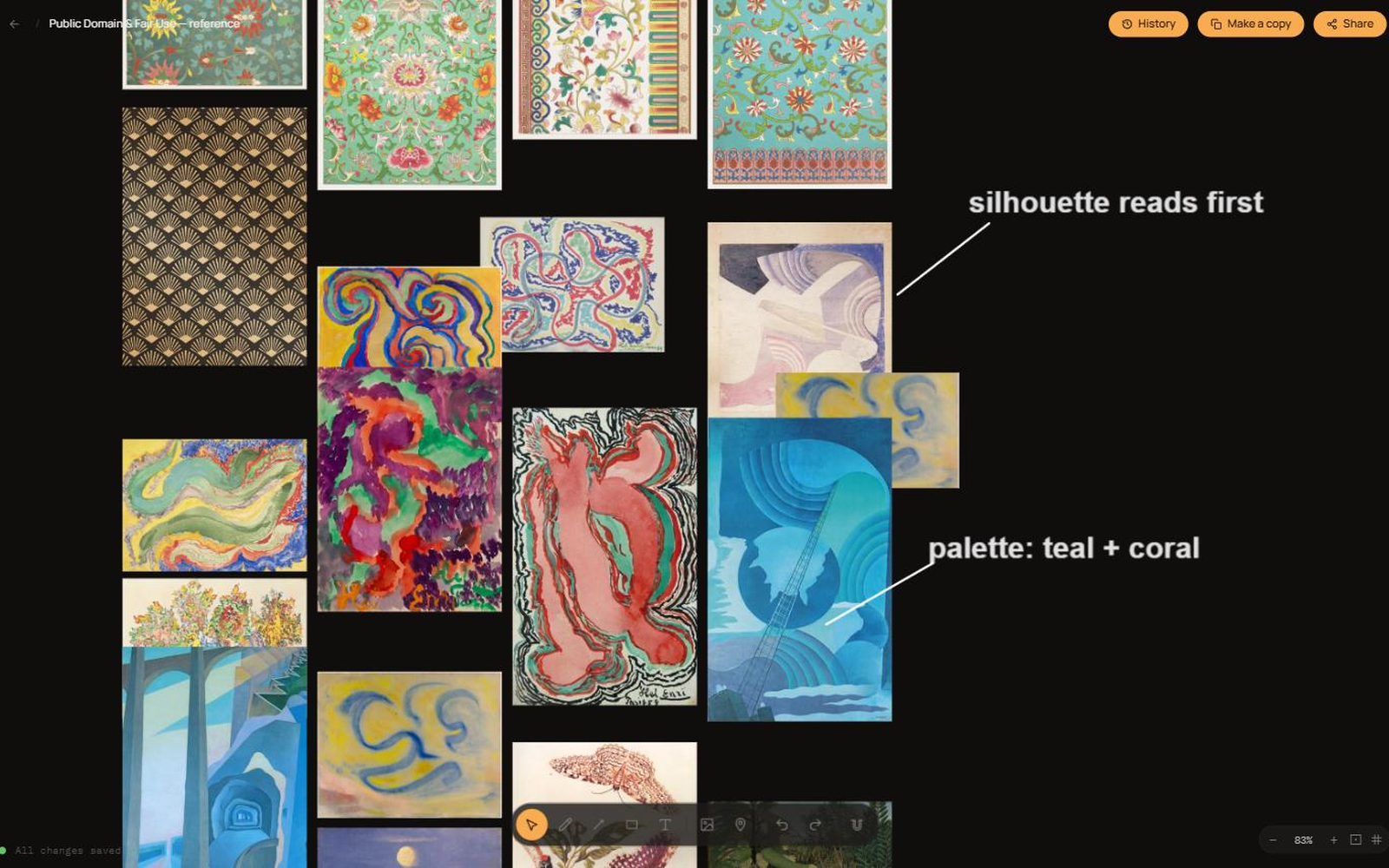
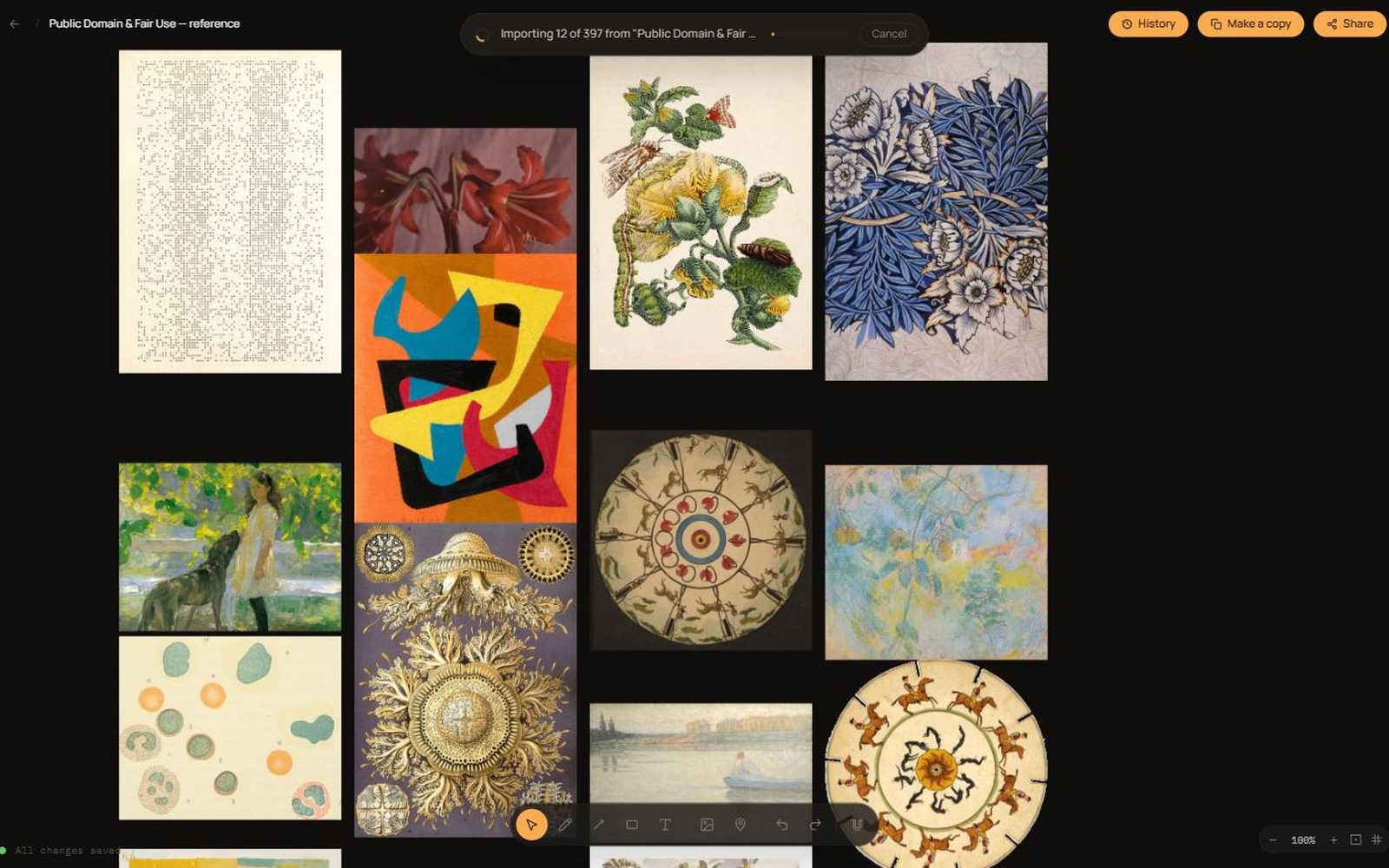
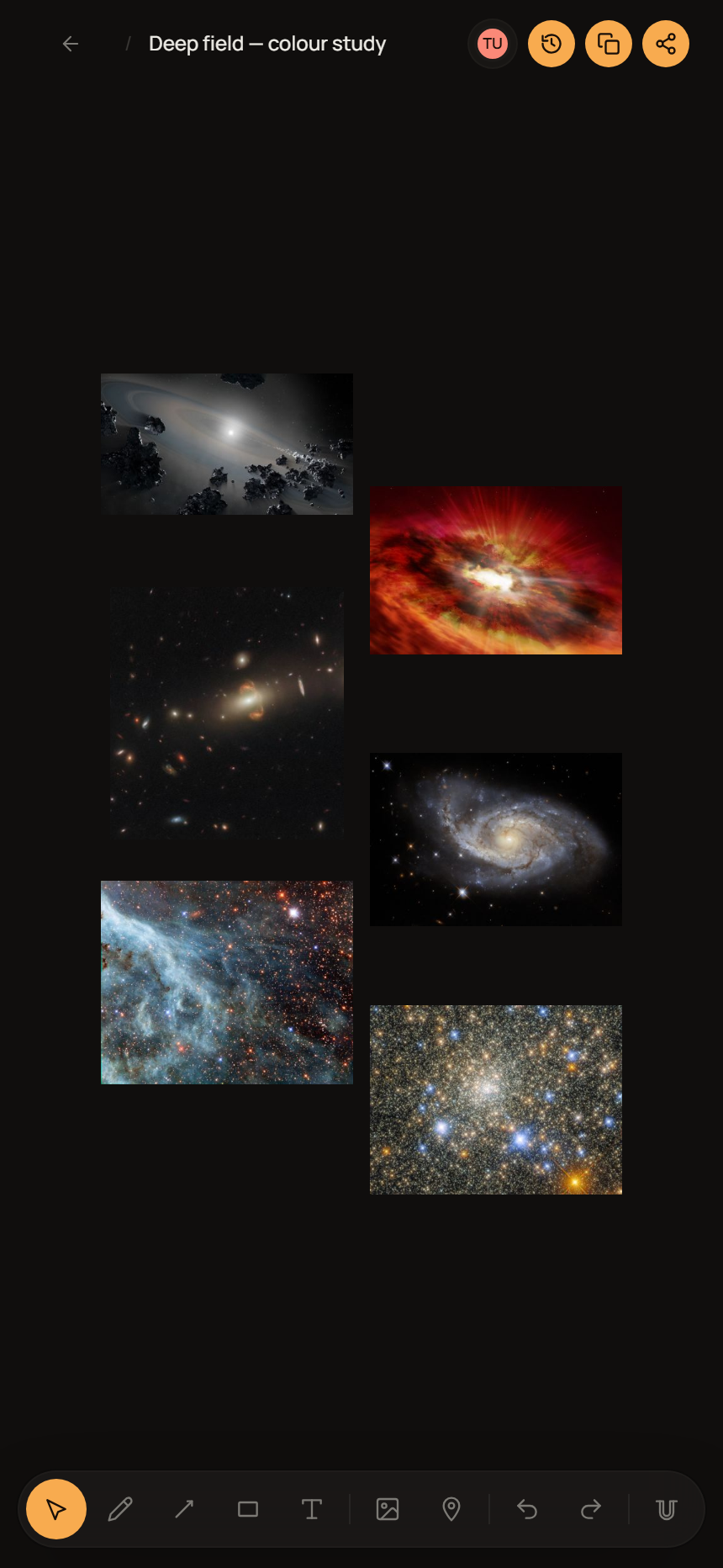
제품 스크린샷
에셋 사용 방법
- 크기만 조절하고 형태는 바꾸지 마세요. 로고를 늘이거나 눌러 찌그러뜨리거나 회전하거나 색을 바꾸지 마세요. 로고 주위에는 원형 심볼 높이 이상의 여백을 남겨 주세요.
- 배경에 맞는 파일을 쓰세요. 대비를 억지로 만들려고 테두리나 그림자, 박스를 덧붙이지 말고 밝은 배경용·어두운 배경용 파일 중에 골라 쓰세요.
- "Oppalin", 대문자 O로 시작하는 한 단어입니다. OppaLin도, Opalin도 아닙니다.
- 파트너가 아니라 제휴자입니다. Oppalin 제휴 파트너라고 말씀해 주세요. 협력사, 리셀러, 스폰서라고 하거나 저희가 여러분 또는 여러분의 다른 제품을 보증한다는 인상을 주지는 말아 주세요.
- 스크린샷은 자유롭게 자르고 주석을 달아도 됩니다 — 다만 존재하지 않는 기능이나 가격, 동작을 보여주도록 편집하지는 마세요.
프로그램 규칙, 쉬운 말로
짧은 목록입니다. 청중과 여러분의 평판, 그리고 프로그램을 지키기 위한 것입니다. 법적 효력을 갖는 것은 제휴 약관이며, 둘이 다를 경우 약관이 우선합니다.
- 항상 밝히세요. FTC를 비롯한 각국 규정이 요구하는 사항이고, 무엇보다 옳은 일입니다. 링크 근처에 "제휴 링크"라고 적으면 충분합니다.
- 본인 추천은 안 됩니다. 본인 링크로 본인이 구독해도 커미션은 지급되지 않습니다. 기술적으로 차단되어 있으며, 우회를 시도하면 제휴가 종료됩니다.
- 저희 이름으로 광고 입찰을 하지 마세요. "Oppalin", oppalin.com, 오타 변형에 광고를 걸지 마세요. 이미 저희에게 오던 사람을 가로채는 데 비용을 쓰는 셈입니다.
- 스팸과 보상형 가입은 금지입니다. 수신 동의 없는 대량 메일, 쿠폰 수집 사이트 등록, 링크로 가입하는 대가로 돈이나 보상을 주는 행위는 안 됩니다.
- 기능이나 가격을 잘못 전하지 마세요. 아직 나오지 않은 로드맵 항목을 이미 있는 것처럼 약속하지 말고, 가격은 기억에 의존해 말하지 마세요 — 요금제 페이지를 확인하세요.
- 저희에 대해서도 솔직하세요. 다른 도구가 그 사람에게 더 맞는다면 그렇게 말해 주세요. 청중이 팔렸다고 느끼게 하느니 가입 하나를 잃는 편이 낫습니다. 위의 비교 노트가 필요할 때 다른 도구를 권하는 이유이기도 합니다.
빠진 게 있나요?
이 페이지에 없는 에셋이나 정보, 답이 필요하시면 hello@oppalin.com으로 알려 주세요. 여러분이 추측하게 두느니 저희가 한 번 적어두는 편이 훨씬 낫습니다.