Tudo o que você precisa para divulgar a Oppalin
Escrito para afiliados aprovados — e aberto a quem ainda está decidindo se vale a pena se inscrever. Pegue o que for útil, diga com suas palavras e nunca precise adivinhar o que a Oppalin faz.
Como começar, passo a passo
Cinco passos da inscrição ao primeiro repasse. A maioria das pessoas conclui os passos 1 a 3 em uma tarde; o resto depende da velocidade da verificação da Stripe.
Inscreva-se
A inscrição é curta e pergunta a única coisa que importa: como você pretende divulgar a Oppalin. Seja específico — "uma seção na minha newsletter semanal de design, com cerca de 4 mil inscritos" vale mais do que "redes sociais". Lemos cada inscrição à mão e normalmente respondemos em alguns dias úteis.
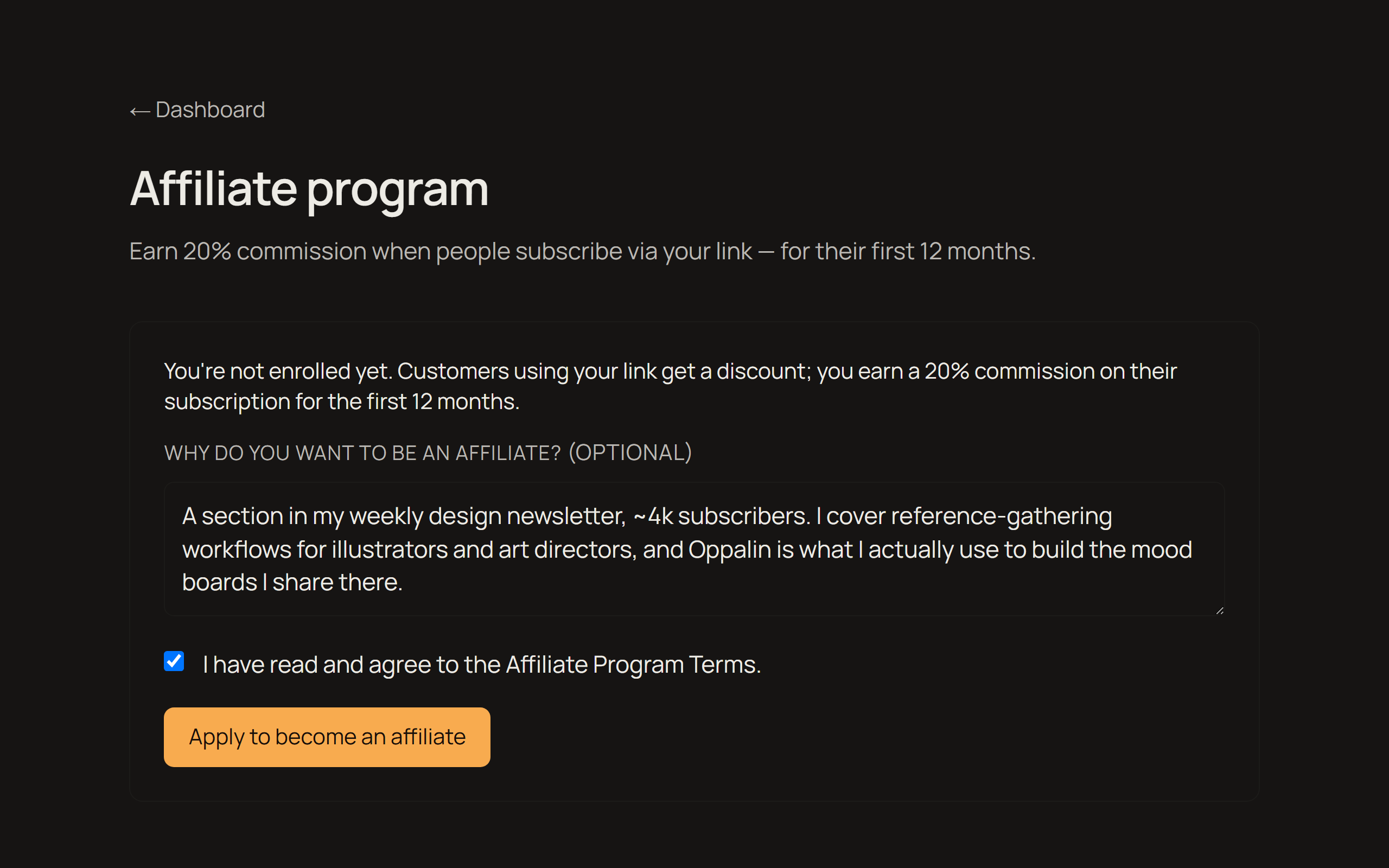
E-mail de aprovação → seu código e seu link
Quando você é aprovado, recebe um e-mail com seu link de indicação pessoal. O mesmo link carrega um código de desconto, então quem chega por ele ganha 10% de desconto — você está oferecendo algo, não apenas rastreando.
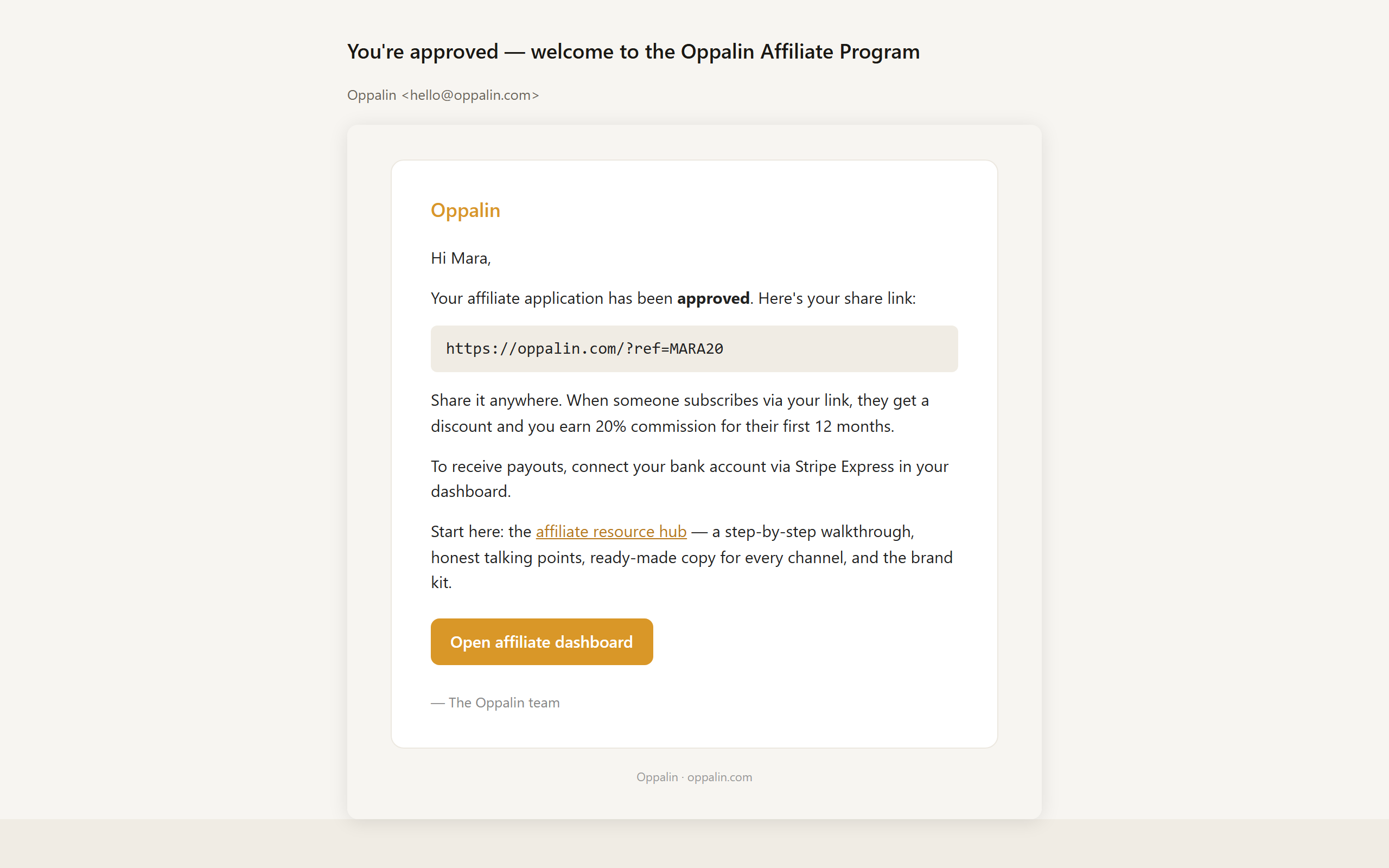
Copie seu link ou o QR code
Seu painel de afiliado traz três variantes prontas do seu link — início, preços e blog — para você apontar cada pessoa à página que combina com o assunto. Há também um QR code para baixar, útil em palestras, material impresso e qualquer coisa em vídeo.
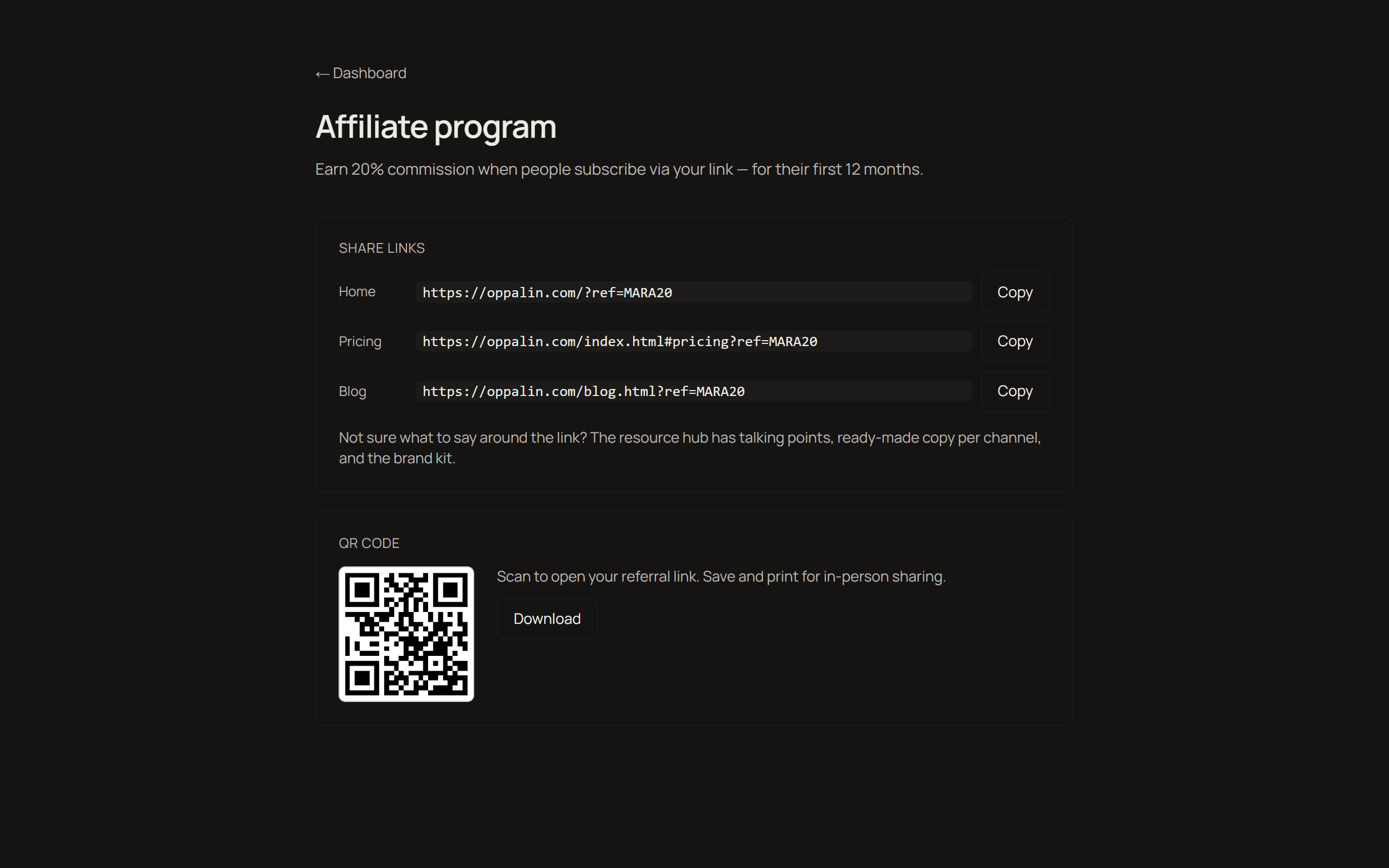
Conecte os repasses via Stripe Express
Os repasses passam pela Stripe Express. Você vai informar os dados de identidade e bancários de sempre — isso acontece do lado da Stripe, e seus dados bancários nunca tocam nossos servidores. A Stripe Express não está disponível em todos os países; se o seu não for suportado, escreva para nós antes de começar a divulgar para sabermos como resolver.
Acompanhe cliques, indicações e repasses
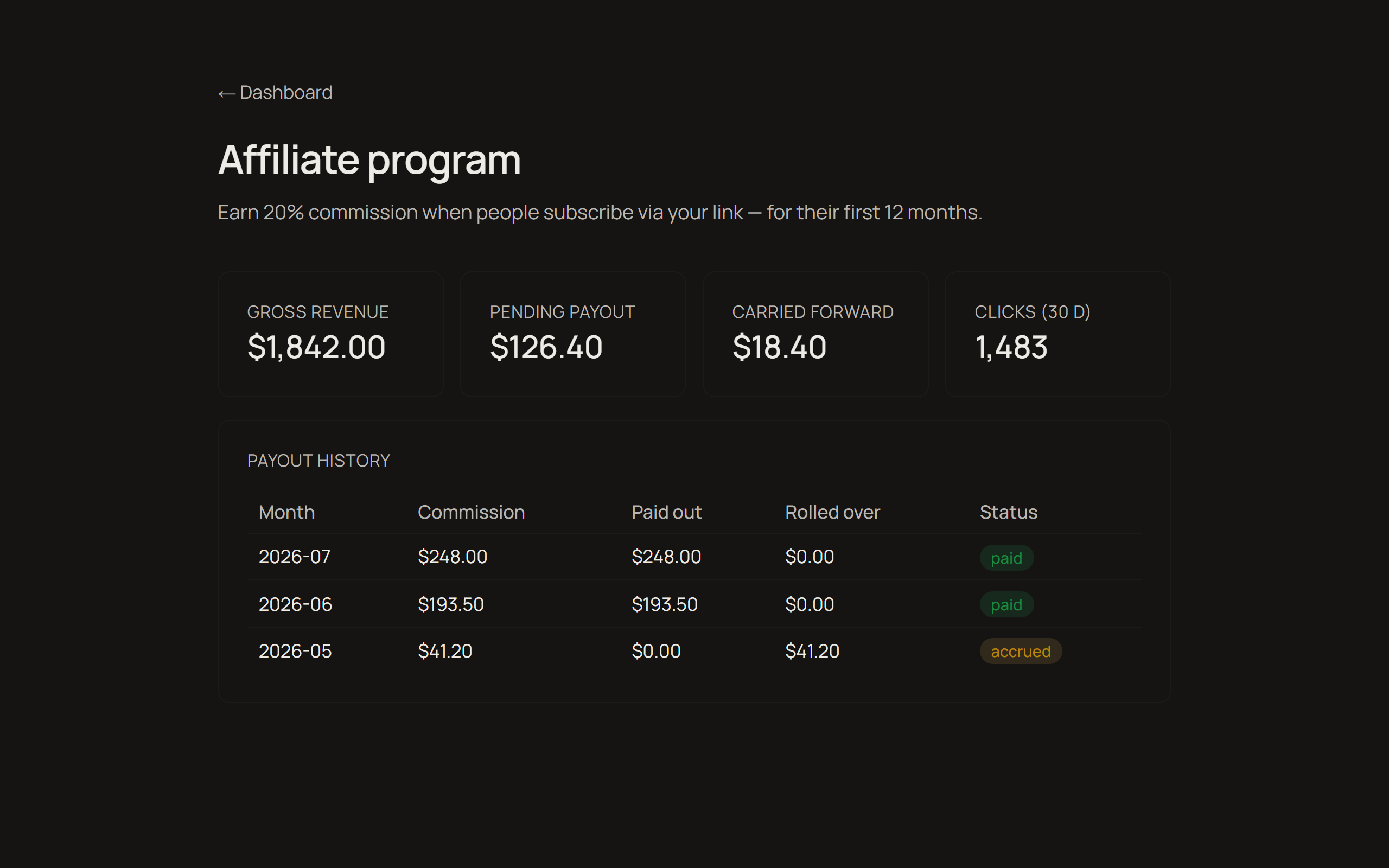
O painel mostra cliques, receita indicada, quanto você ganhou e quanto já foi pago. A comissão é de 20% da receita líquida de assinatura durante os primeiros 12 meses de cada cliente, paga mensalmente assim que o saldo passa de US$ 25 — abaixo disso, o valor entra no mês seguinte. Os termos completos estão na página do programa.
Vídeo passo a passo
Os mesmos cinco passos, na tela, em menos de três minutos.
O que dizer ao seu público
Comparações honestas com as ferramentas que as pessoas já usam. Cada uma termina com uma recomendação que às vezes aponta para longe da Oppalin — isso é proposital, e é justamente a parte que constrói confiança. Copie uma seção e adapte ao seu jeito de falar.
Estes blocos estão só em inglês de propósito: você conhece o idioma do seu público melhor do que qualquer tradução.
Framing: these tools are made for different moments. Miro and FigJam are built for meetings. PureRef is built for solo painting sessions. Oppalin is built to be the wall that stays up between all of that.
Oppalin vs PureRef
PureRef is the beloved standard for reference boards among concept artists, and it is great. It's free, it runs offline, it's lightweight, and it has that neat always-on-top overlay mode while you paint. For a solo artist at their desk, PureRef is hard to beat.
The weak spot: PureRef boards are local files on one machine. To show someone else, you need to get them to install it as well, and send a new file after every update.
Oppalin is essentially that missing half. Open it from any device, let a collaborator drop things in, send the link instead of the file.
Honest recommendation to give your audience: solo, offline, overlay-while-painting → PureRef. Shared, cross-device, living at a link → Oppalin. Plenty of artists will reasonably use both.
Oppalin vs Miro
Miro is the workshop canvas: facilitation tools, voting dots, timers, sprint modes, hundreds of templates, enterprise integrations. If you're running a structured remote workshop with twelve people and a deliverable at the end, Miro is the right tool — Oppalin doesn't attempt any of that.
The tradeoff is that all of that machinery is there every time you open it. For simple reference work — a moodboard, a research wall — Miro feels like renting a conference center to pin up three postcards. Oppalin is the opposite bet: just the surface.
Honest recommendation: structured team workshops → Miro. A surface for things you're still thinking about → Oppalin.
Oppalin vs FigJam
FigJam's strength is the Figma ecosystem. If your team already lives in Figma, FigJam is right there with its quick brainstorms, stickies, cursor chat, and a short hop from whiteboard to design file. For design teams running collaborative sessions inside that world, it's a natural fit.
FigJam is meeting-shaped, though: it assumes a session with a start and an end.
Oppalin is built for the board that stays open for weeks without pressure to converge. It also stands alone — no Figma account or ecosystem required, which matters for the illustrators and game artists who never touched Figma in the first place.
Honest recommendation: already in Figma, running live sessions → FigJam. A standing reference wall, especially outside the Figma world → Oppalin.
"So what does Oppalin actually do better?"
It's the only one of these built around the reference board as a permanent place, with direct Pinterest board import — somewhere you set up a place rather than a session or a file, and can share it with a link.
Not having hundreds of templates and tools is a decision: the tool is simple so that it doesn't induce procrastination or paralysis.
And if another tool is better for someone, say so. A viewer who trusts your comparison is worth more to everyone, you included.
FAQ do seu público
As perguntas que seu público realmente vai fazer, respondidas do jeito que nós responderíamos. Se algo não estiver aqui, pergunte em hello@oppalin.com em vez de adivinhar — uma resposta errada dita com segurança custa mais caro do que uma resposta demorada.
The basics
What is Oppalin?
A board for images, notes, and arrows that lives at a URL instead of in a file. You drop things in, move them around, and send the link. It's built for reference work: moodboards, research walls, the material you're still thinking about. Oppalin imports a Pinterest board directly, so the images you already collected are easy to bring in and work with.
Who is it for?
Concept artists, illustrators, game artists, designers, and anyone who keeps reference boards.
Do I need to install anything?
No. It runs in the browser, including on Android touch devices. A board is a web page.
Is there a desktop or offline app?
No, and there isn't one planned. Oppalin is URL-first. If you need offline reference boards, PureRef is excellent and we recommend it.
Pricing
Is the free tier a trial?
No. Free is a real tier for solo work, with no countdown. You can stay on it forever. Pro adds unlimited boards and more storage.
How much is Pro?
Check the pricing section on oppalin.com for current details — prices are localized, so quoting a figure from memory will be wrong for part of your audience.
What's the Founders' Lifetime license?
A one-time launch offer: Pro for life for a single payment (~$99), hard-capped at 250 licenses, with a 20 GB storage ceiling. It's sold once, during the launch window, and never again. If your audience asks whether to wait for it to come back: it won't.
Do viewers of my board need to pay?
No. Anyone with the link can view a shared board without an account or payment. Paid tiers are about what you can create and store, not who can look.
The product
Where are the templates?
There aren't any, on purpose. Every board starts from nothing — that's where the thinking is. If someone's looking for sticky-note workshop templates, Miro or FigJam will serve them better, honestly.
Can I export my board to PDF/PNG/etc.?
There's no export flow. The board is a URL; sharing it means sending the link. Your images remain your images — you can always save them back out individually.
Is my content used to train AI?
No. Boards are never used to train AI models, ours or anyone else's. There are also no ads, and no selling of personal data. Full details in the privacy policy at oppalin.com.
Who can see my boards?
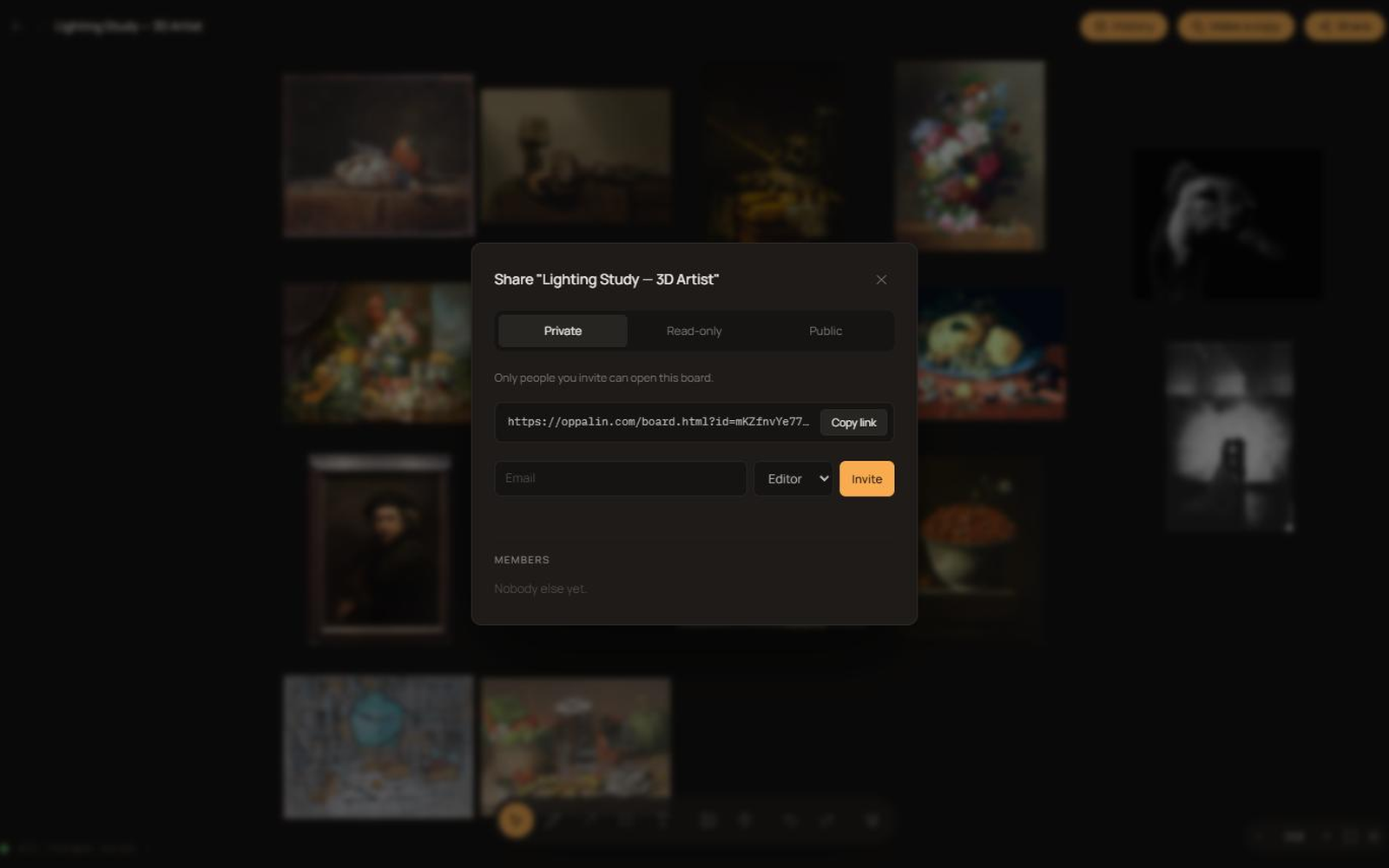
Private boards: only you and the people you invite. Link-shared boards: anyone with the link. Public boards: anyone, and they may appear in search engines. You choose per board.
Textos prontos, por canal
Pontos de partida, não roteiros — troque [YOUR LINK] pelo seu link de indicação e reescreva até soar como você. Todos incluem uma linha de divulgação da parceria; por favor, mantenha.
Descrição de vídeo no YouTube
I use Oppalin for the moodboards in this video — a collaborative moodboard app for people who think in images. Infinite canvas, drag in references, arrange them, draw on top, share the board with a link.

Try it free: [YOUR LINK]

Affiliate link: you get 10% off, and it supports the channel at no extra cost to you.
Post curto / tweet
Oppalin is the moodboard tool I keep going back to: infinite canvas, drop in references, arrange, mark up, share a link. The free tier is a real free tier, not a trial.

[YOUR LINK] — affiliate link, 10% off.
Parágrafo de newsletter
One tool I've been using lately: Oppalin, a collaborative moodboard app. You drop images onto an infinite canvas, arrange them until the idea reads, draw and annotate on top, and send someone a link — they can edit with you in real time without making an account of their own. It imports straight from Pinterest, which saved me the usual download-and-re-upload ritual.

It's free to start (3 boards, 500 MB), and Pro is $7/month if you outgrow that. If you want to try it: [YOUR LINK] — that's an affiliate link and gets you 10% off.
Descrição de pin no Pinterest
Build a colour-scheme moodboard in minutes: import your pins straight into Oppalin, arrange them on an infinite canvas, and share the board with a link. Free to start. [YOUR LINK] (affiliate link, 10% off) #moodboard #colorpalette #designtools #creativeprocess
Kit de marca
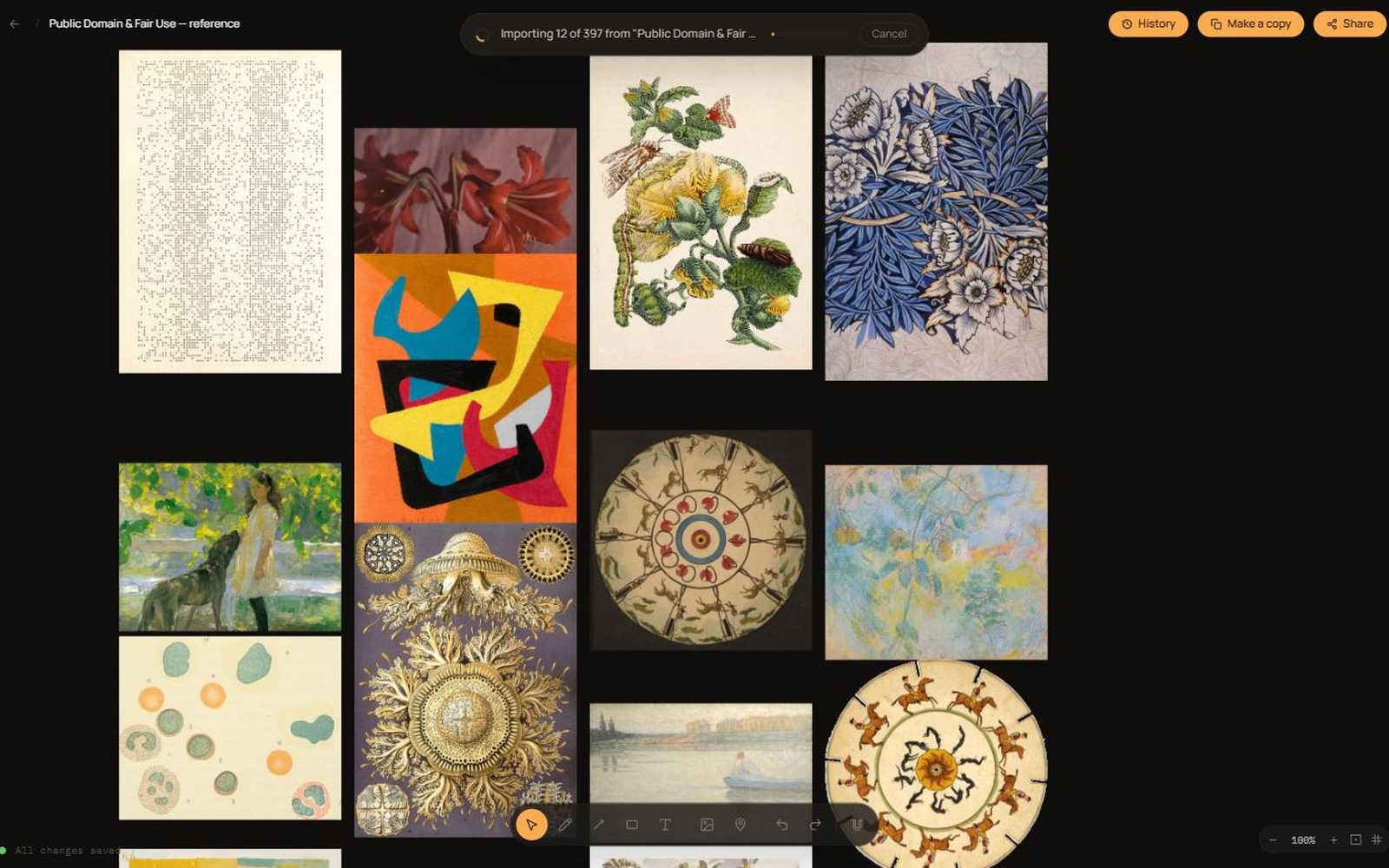
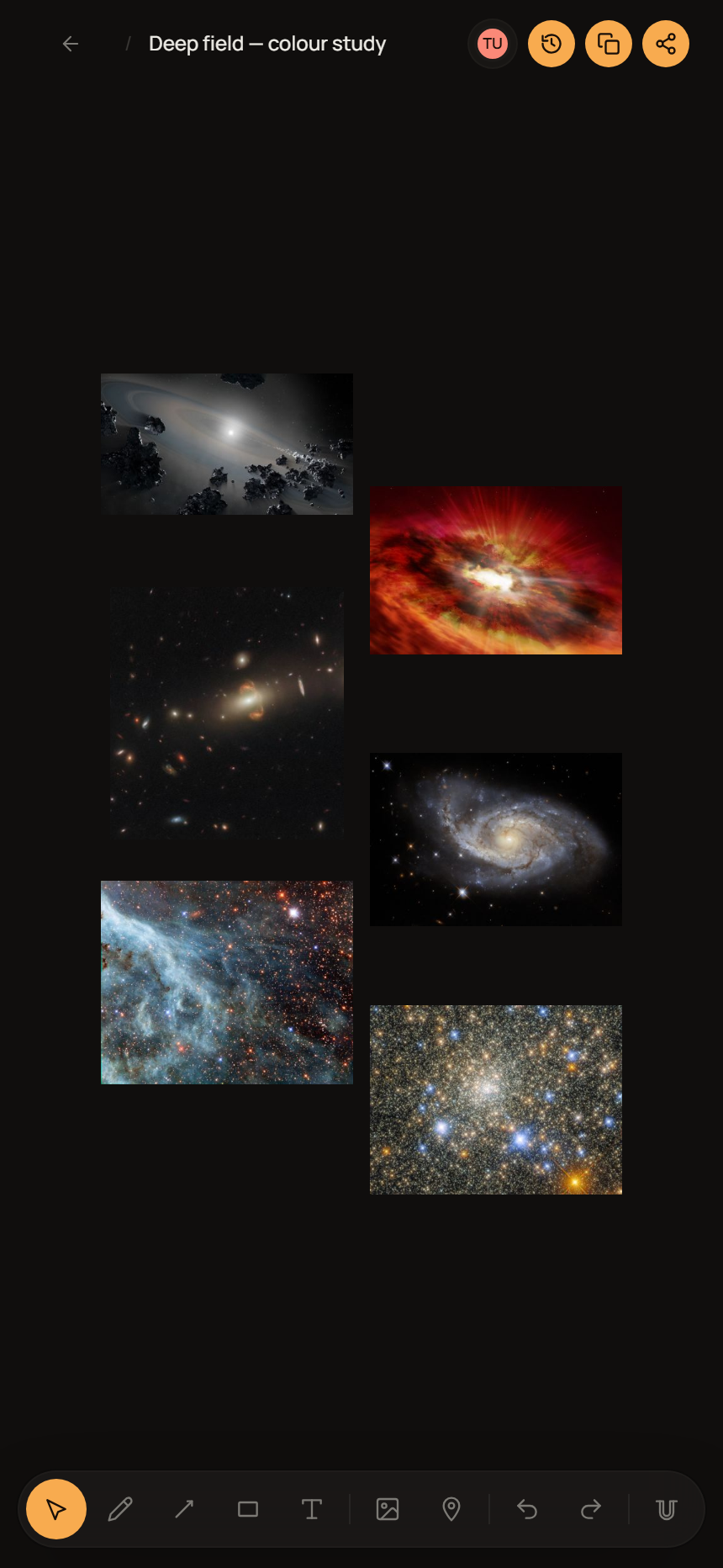
Logos, capturas de tela e um cartão social — tudo em um download, ou pegue os arquivos individualmente abaixo.









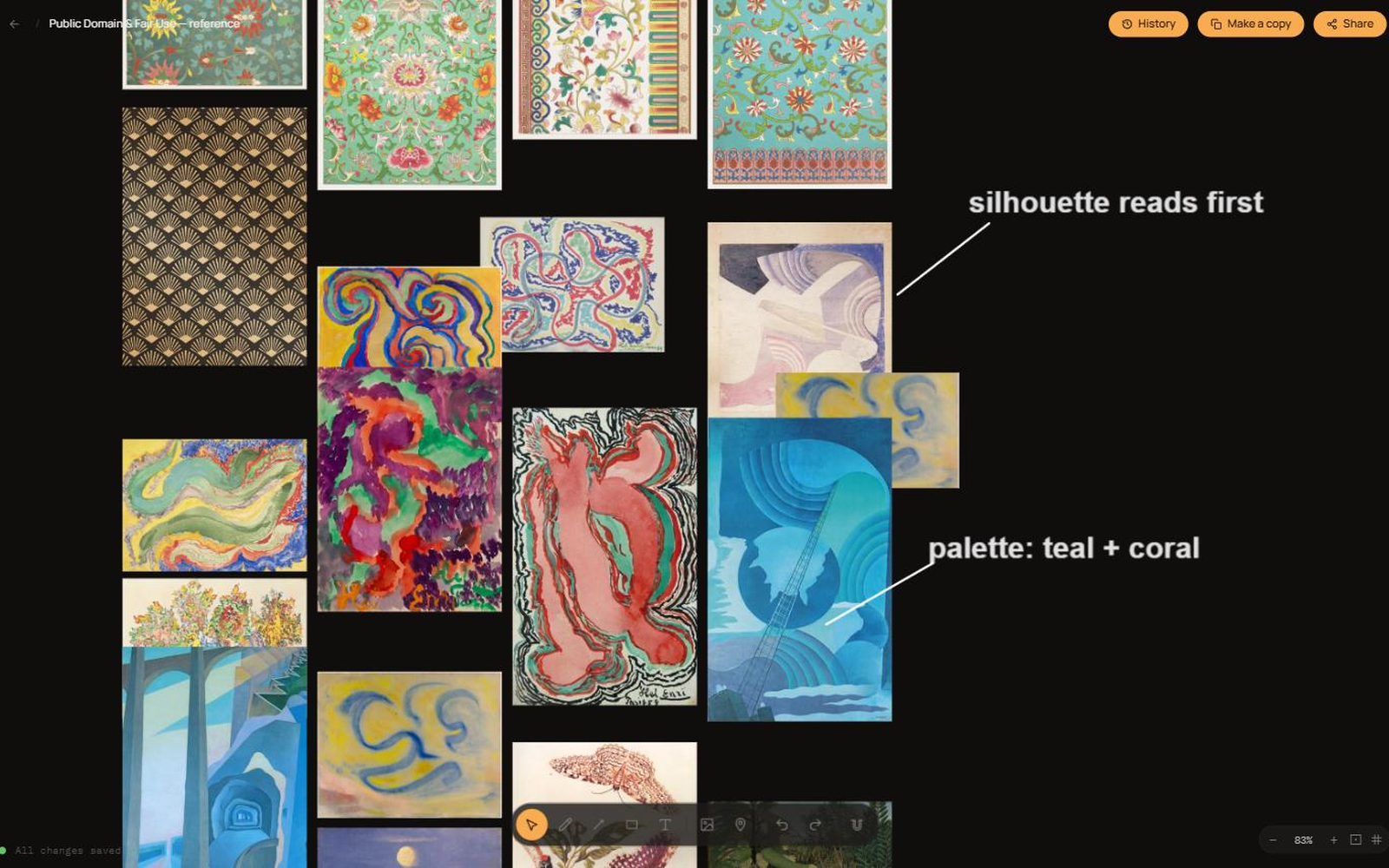
Capturas de tela do produto
Usando os arquivos
- Redimensione, não deforme. Nada de esticar, achatar, girar ou recolorir a logo. Deixe ao redor dela um espaço livre de pelo menos a altura do símbolo circular.
- Combine com o fundo. Use o arquivo para fundo claro ou escuro em vez de adicionar contorno, sombra ou caixa para forçar contraste.
- "Oppalin", com O maiúsculo, uma palavra só. Não é OppaLin nem Opalin.
- Afiliado, não parceiro. Diga que você é afiliado da Oppalin. Por favor, não se apresente como parceiro, revendedor ou patrocinador, nem dê a entender que endossamos você ou seus outros produtos.
- As capturas de tela são suas para cortar e anotar — só não as edite para mostrar recursos, preços ou comportamentos que não existem.
Regras do programa, em bom português
Lista curta. Ela protege seu público, sua reputação e o programa. A versão que vale juridicamente são os Termos de Afiliado — se houver divergência, valem os termos.
- Sempre declare a parceria. A FTC e órgãos equivalentes exigem isso, e além do mais é o certo a fazer. As palavras "link de afiliado" perto do link já bastam.
- Nada de autoindicação. Seu próprio link não paga comissão pela sua própria assinatura — isso é bloqueado tecnicamente, e tentar contornar encerra o acordo.
- Não compre anúncios com o nosso nome. Nada de anúncios em "Oppalin", oppalin.com ou variações com erro de digitação. Você estaria pagando para interceptar quem já estava vindo até nós.
- Nada de spam nem cadastros incentivados. Sem e-mail em massa não solicitado, sem sites de cupom, sem pagar ou premiar quem se cadastrar pelo seu link.
- Não distorça recursos nem preços. Não prometa item de roteiro como se já existisse e não cite preços de memória — confira a página de preços.
- Seja honesto, inclusive sobre nós. Se outra ferramenta realmente serve melhor para alguém, diga. Preferimos perder um cadastro a fazer seu público se sentir empurrado — é por isso que as comparações acima recomendam outras opções quando é o caso.
Faltou alguma coisa?
Se você precisa de um arquivo, de um dado ou de uma resposta que não está nesta página, escreva para hello@oppalin.com. Preferimos muito mais escrever uma vez do que deixar você adivinhando.